Charting

Can you trade options on TradingView through TradersPost?

Recently, a customer asked if they could trade options from TradingView signals like price alerts and strategy signals. The quick answer is yes!

Mike Christensen

Co-Founder / CSO

2 Min Read Reviewed by Jonathan Wage Fact-checked by Jonathan Wage
BluSky — The Future of Trading. Prop firm futures trading. Sign up at BluSky.pro.
Update history
  1. Correction

    TradingView now supports options data and direct U.S. equity options trading, while TradersPost still automates directional stock and ETF options through supported brokers, so the article's platform and broker claims have been corrected while its core workflow remains accurate.
‍

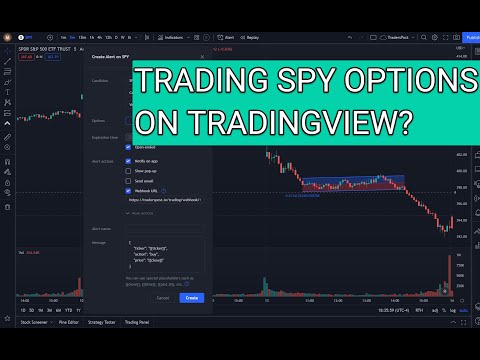
Have you ever wanted to trade options on TradingView based on stock trading signals but didn't know how? Our service is designed to help you do just that. TradingView now offers options data1. We have a solution for you.

We've built TradersPost to automatically map stock, tickers and ETFs to their options contracts with the ability to fine tune the contract selection.

We've developed TradersPost with a sophisticated system that automatically maps stock tickers and ETFs to their respective options contracts, offering you the flexibility to fine-tune the contract selection according to your preferences. Although TradingView now supports direct U.S. equity options trading, you can still use TradersPost to automate your workflow2. With our system, you can effortlessly send over trading alerts from stocks on TradingView and translate those signals into trading options. This is made possible through integration with reputable brokers such as TradeStation, Tradier, and Alpaca, allowing you to leverage these alerts for options trading effectively3.

You can also decide if you want your options to be 'in-the-money' (which means they're worth something right now) or 'out-of-the-money' (which means they might be worth something later). You can even set a time limit for when these options should end, called an expiration limit. We also let you pick how many options you want (that's the 'strike count') and how far away from the current price they should be (that's 'number of strikes away'). You can set a 'take profit' level to automatically sell when you've made enough money, a 'stop loss' to limit your losses, and even decide how big or small your trades should be with 'automatic position sizing.'

As always, feel free to reach out to [email protected] if you have questions on how to set up options trading.

References

1 Options chain overview - TradingView
2 blog.traderspost.io, Complete Guide to Options Trading Integration — Blog
3 Options Trading | Documentation - Getting Started - TradersPost

All In Charting
  • Charting Sep 16, 2026

    TradingView Remix vs Pine Script: When to Use Each

    Remix writes Pine Script for you. Learn when to describe your strategy in English, when to code it yourself, and how to validate what Remix produces.

  • Charting Sep 16, 2026

    The TradingView Remix Extension Explained

    TradingView Remix is an AI chart copilot browser extension. Learn what it does, who built it, what it accesses, and how to install it safely.

  • Charting Sep 16, 2026

    TradingView Remix: What It Is

    TradingView Remix is the official AI Chart Copilot browser extension. Learn what it does, what it cannot do, usage limits, and how to get started.

  • Charting Sep 16, 2026

    TradingView Data Export Explained

    Learn how TradingView's CSV export works, why there is no data API, and what to use instead for programmatic or recurring market data needs.

Start trading at scale today. Sign up for free.

Free 7-day trial

Set-up in 3 minutes

Paper account for testing

TradersPost operates as a non-custodial automated trading platform, enabling users to connect alerts from their preferred trading platforms to their selected brokerage or exchange accounts. It abstains from the transmission, custody, or management of customer funds, covering both traditional and cryptocurrency assets. Typically, registration requirements set by regulatory entities such as the SEC, FINRA, or FinCEN apply to entities that hold or transmit customer funds. To ensure ongoing compliance, TradersPost regularly engages with regulatory authorities to confirm its adherence to all relevant local and federal laws.

TradersPost does not provide alerts, signals, research, analysis, or trading advice of any kind. It is designed to assist traders and investors in making their own trading decisions based on their alerts. The platform does not offer recommendations regarding securities to buy or sell, nor does it provide trading or investing advice. The platform and its features, capabilities, and tools are provided 'as-is' without any warranty.

Risk Disclosure: The use of automated trading systems involves inherent risks, including the potential for significant financial loss. These systems operate based on predetermined algorithms that may not fully adapt to changing market conditions, possibly making them unsuitable for some investors. Individuals are advised to thoroughly assess their financial situation and risk tolerance before using this platform.

Testimonials appearing on this website may not be representative of other clients or customers and is not a guarantee of future performance or success.

Broker, exchange, trading platform, company names, product names, service marks, trademarks, and logos appearing on this website are the property of their respective owners and are used solely to identify supported connections and technical compatibility. TradersPost is an independent third-party platform and is not affiliated with, endorsed by, sponsored by, or authorized by any of these organizations unless expressly stated. Technical compatibility does not imply a commercial partnership, sponsorship, endorsement, or authorization. See Important Disclosures for trademark information.

© 2026 TradersPost, Inc. All rights reserved.