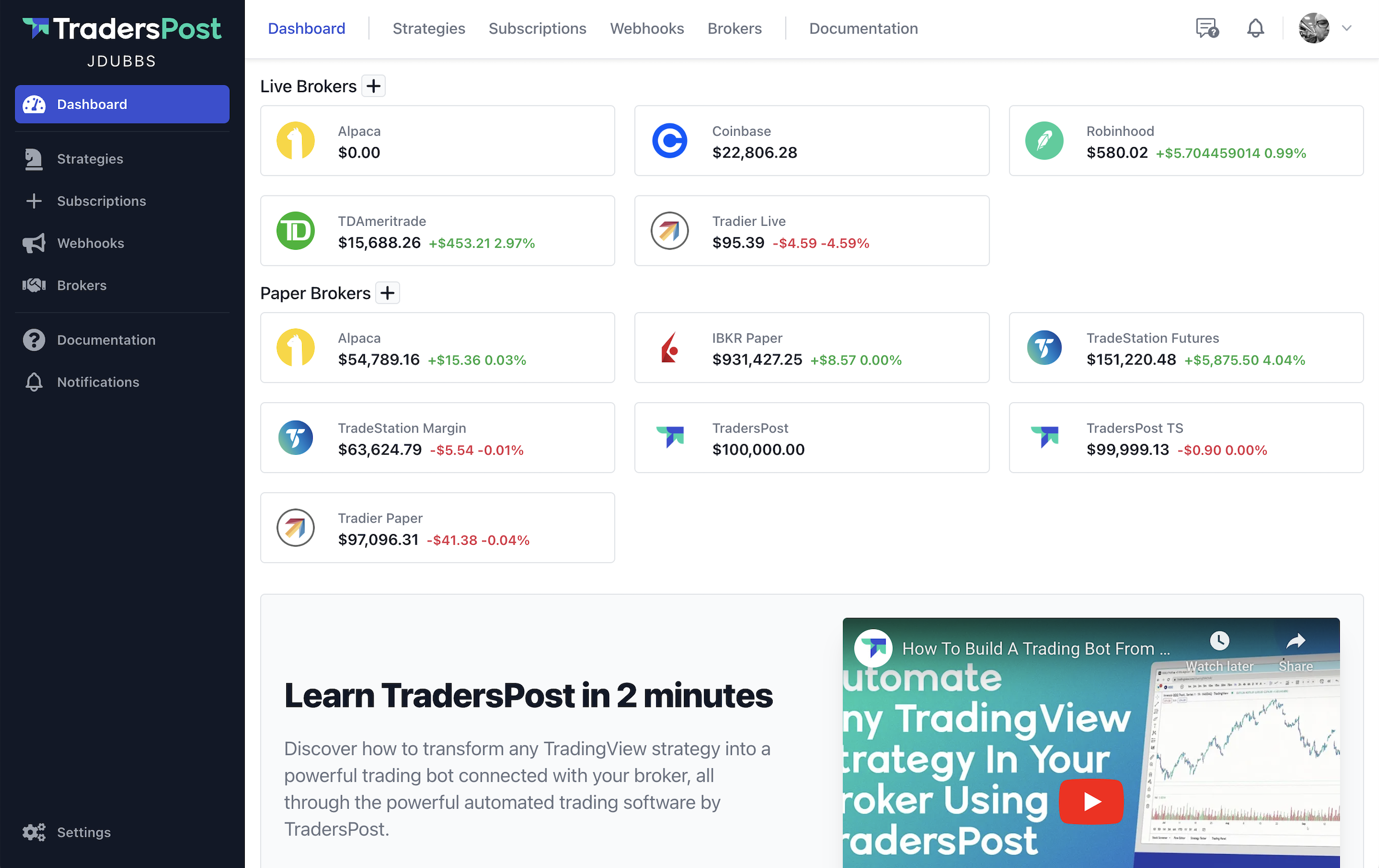
TradersPost's Enhanced Interface: A User-Friendly Upgrade
Introducing the revamped TradersPost: A blend of aesthetic upgrades and functional enhancements to elevate your trading journey. Key updates include a redesigned menu, simplified strategy creation with integrated webhooks, and a persistent save bar for easy form management. With in-app documentation and a new user menu dropdown, navigating TradersPost is now more intuitive than ever. Plus, discover our setup wizard for a seamless start and enjoy clearer help texts and labels for streamlined trading experiences.

Founder / CEO

Menu Improvements
The header and left menu have been redesigned and the order of the menu items have been reordered based on their importance.
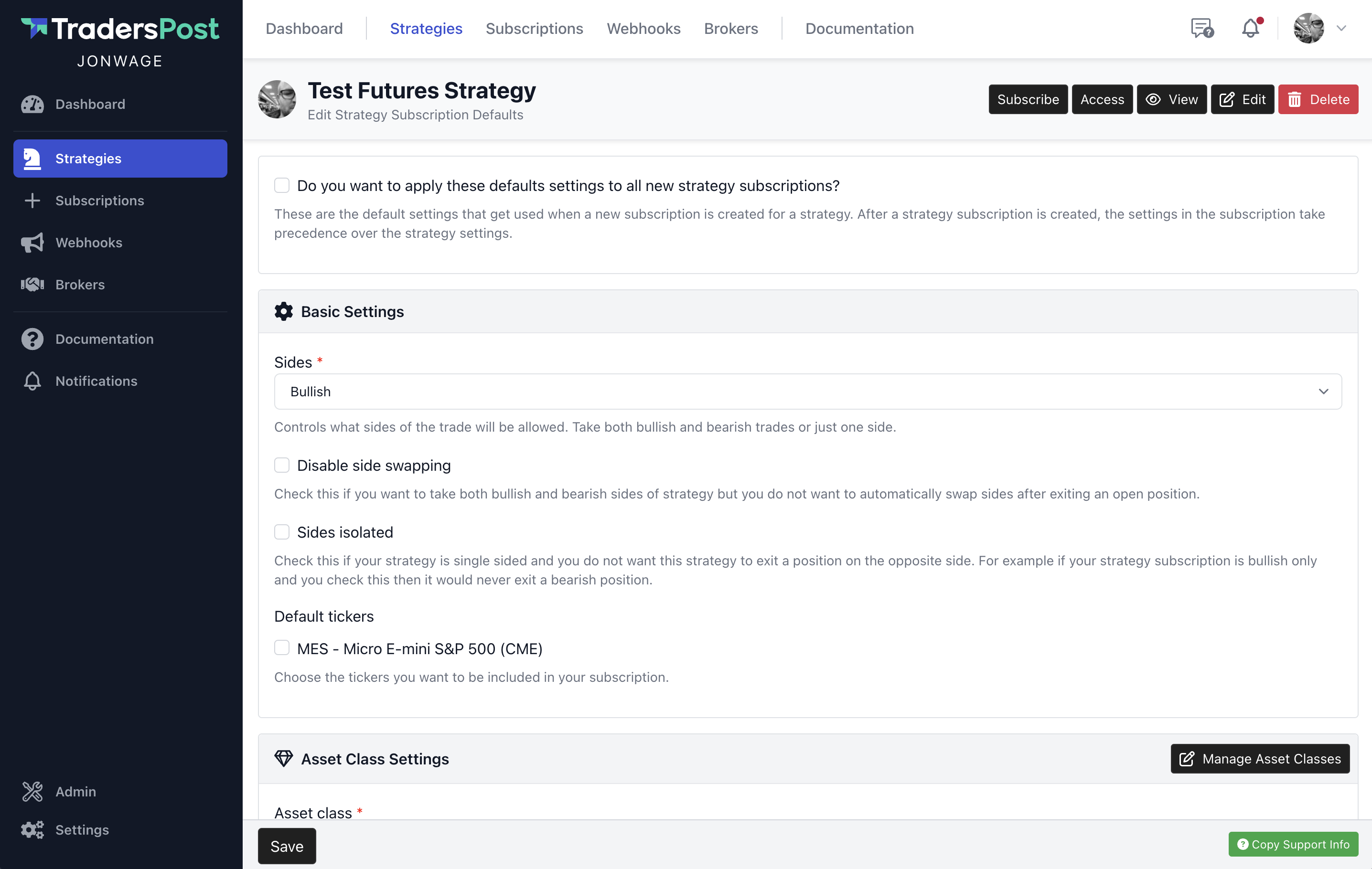
Strategy Subscription Defaults
The strategy subscription defaults have been moved from the Edit strategy page form to a dedicated page. You can edit the strategy subscription defaults by clicking View next to a strategy and then clicking Edit Subscription Defaults.
If you want new strategy subscription settings to copy your strategy defaults, make sure to check the "Do you want to apply these defaults settings to all new strategy subscriptions?" otherwise the default settings won't be used.
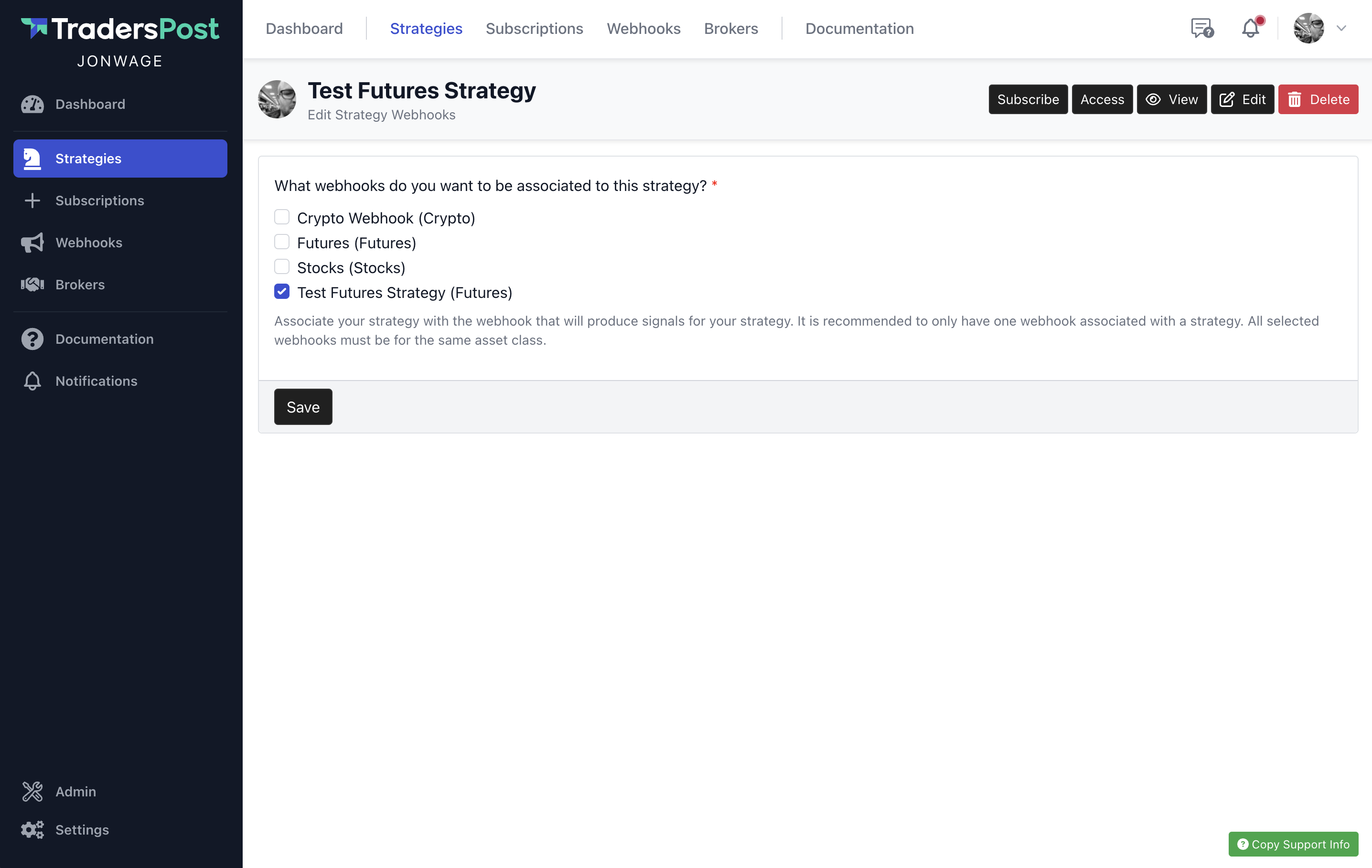
Strategy Associated Webhooks
The strategy associated webhooks have been moved from the Edit strategy page form to a dedicated page. You can edit the strategy associated webhooks by clicking View next to a strategy and then clicking Edit Associated Webhooks.
Creating A Strategy Creates A Webhook
Prior to this release, to create a strategy, you would have to first create a webhook, then create a strategy and select the webhook you previously created to associate it with the strategy you are creating. The process was a little cumbersome.
This has been simplified so that when you create a new strategy, it creates both the strategy and a webhook at the same time. If you want to change the webhook that powers a strategy in the future, you can create a new webhook and then migrate your strategy from one webhook to another by editing your strategy associated webhooks.
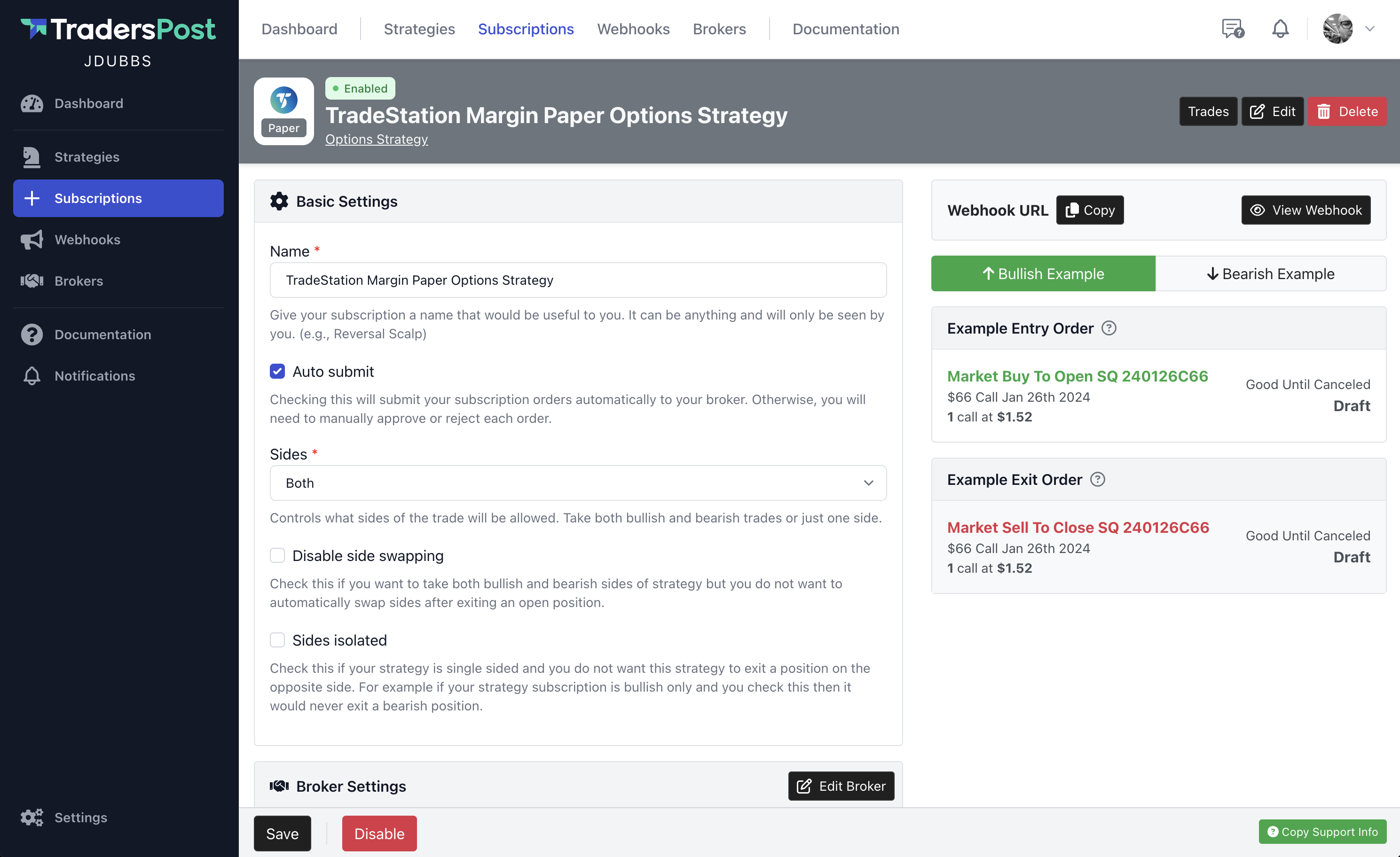
Sticky Bottom Save Bar
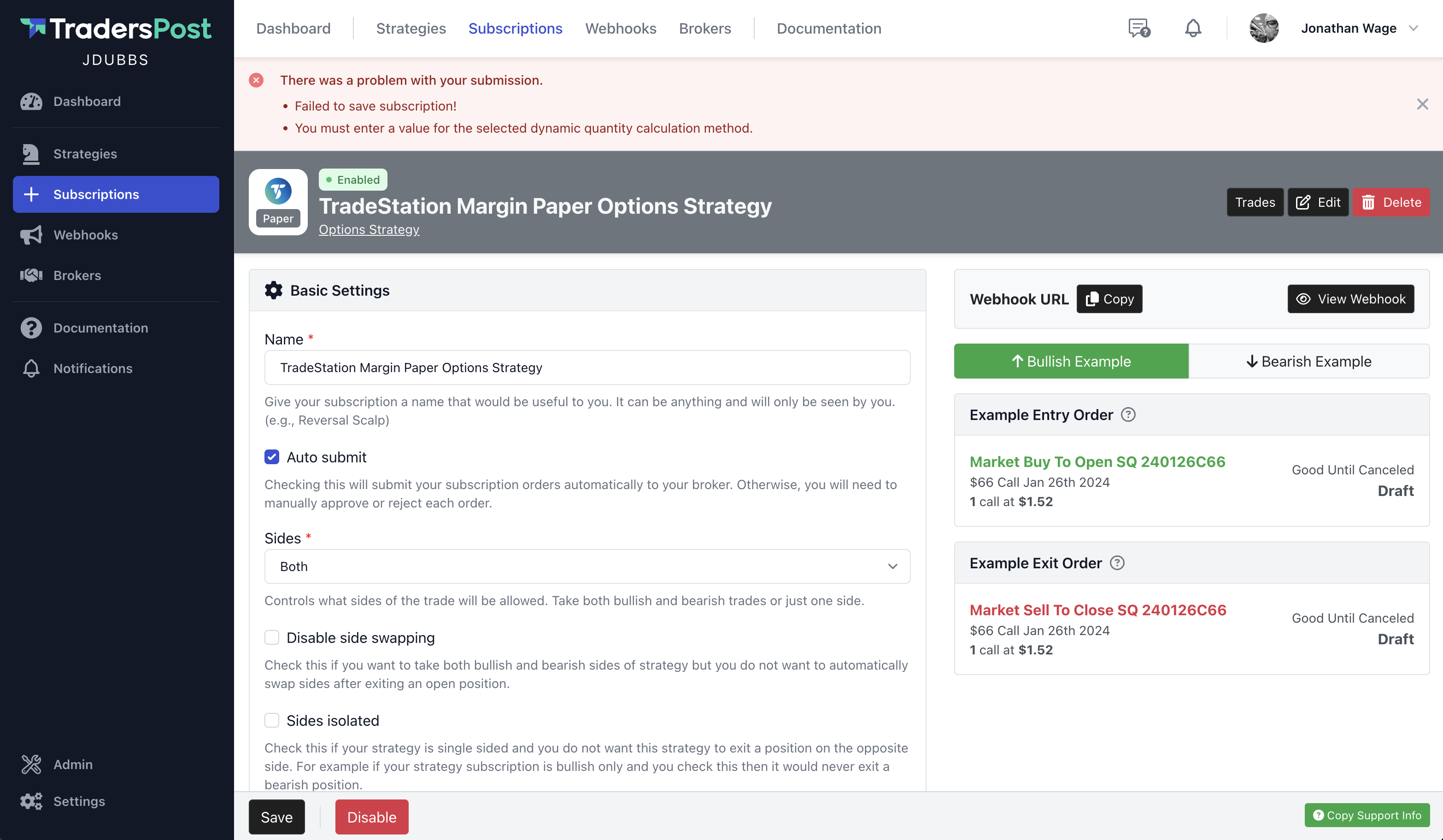
You will notice now on pages that have long forms, there is a sticky bottom bar with a save button always visible so you can quickly make changes to your strategy subscription settings and click save.
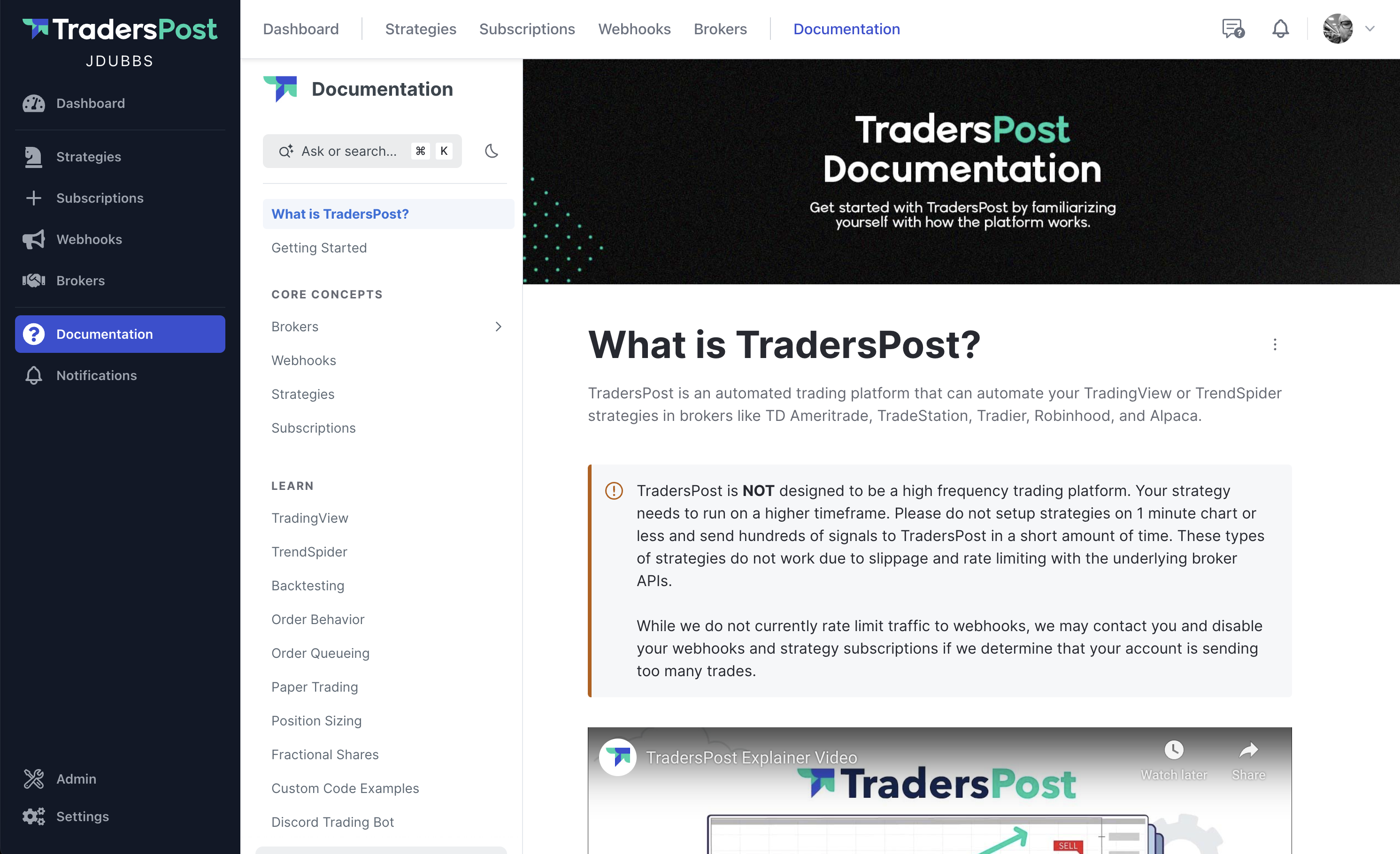
In Application Documentation
The official TradersPost documentation has been more directly integrated with the application. Now you can easily find answers to your questions without leaving the application. Search the documentation or ask it questions and AI will analyze your question and try to find the answer for you.
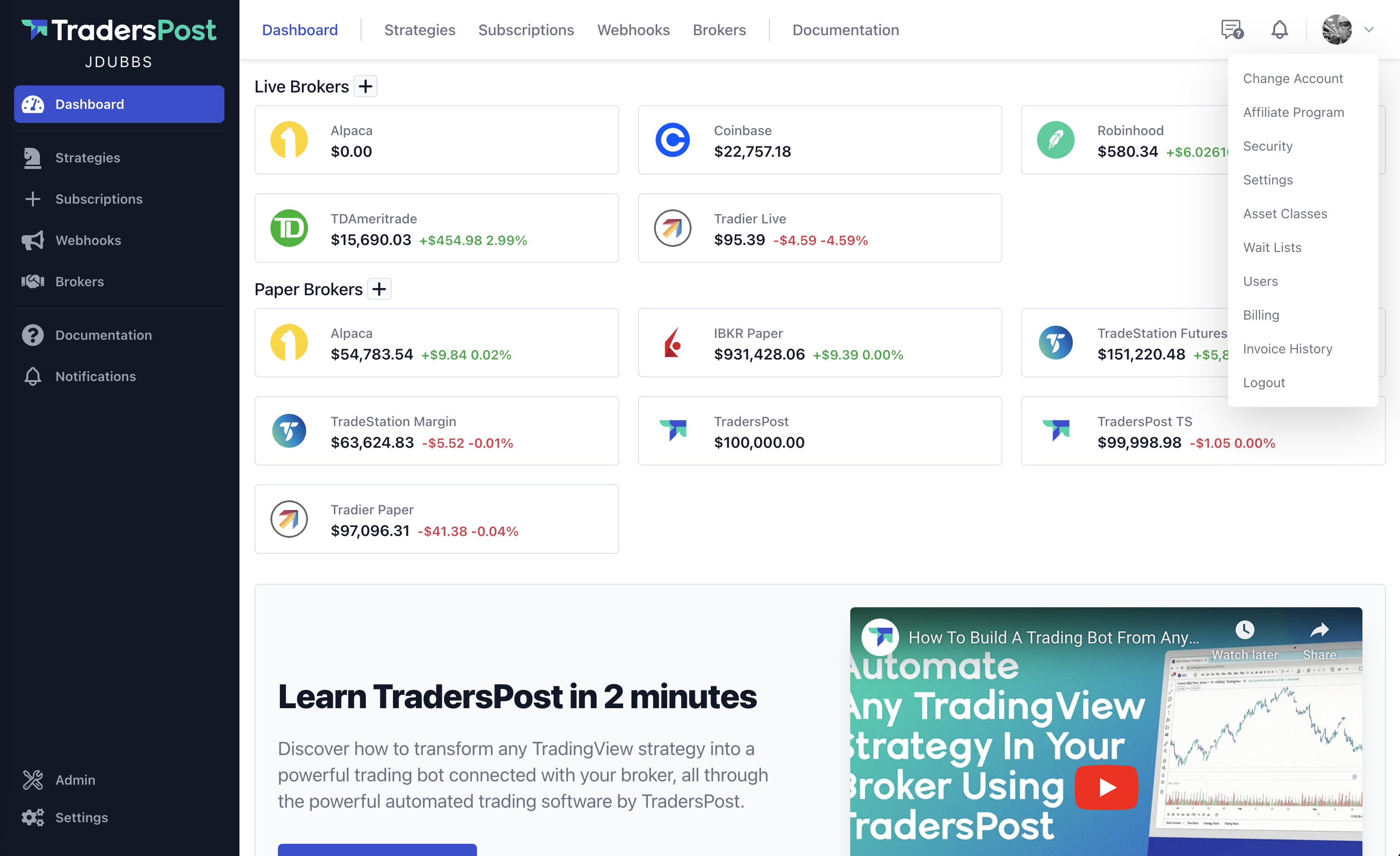
User Menu Dropdown
You can now access the user menu items by clicking your user avatar at the top right of the header menu.
Please note that the Change Account functionality for users that have access to multiple accounts is no longer visible in the main top header menu and is only available in the user menu dropdown.
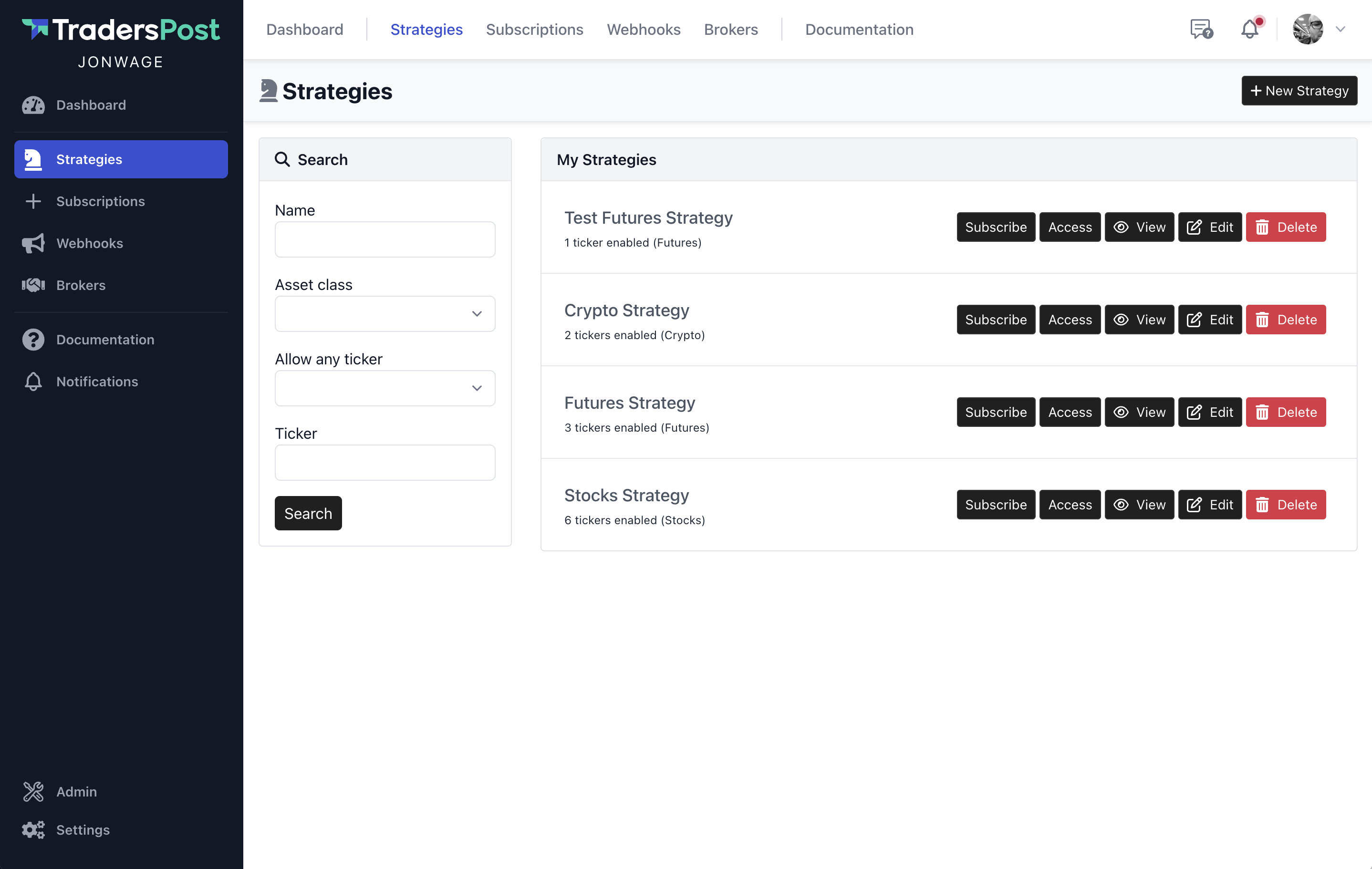
Search Your Strategies, Subscriptions, Webhooks
You now have the ability to search your strategies, subscriptions and webhooks with the search form in the left column.
Setup Wizard
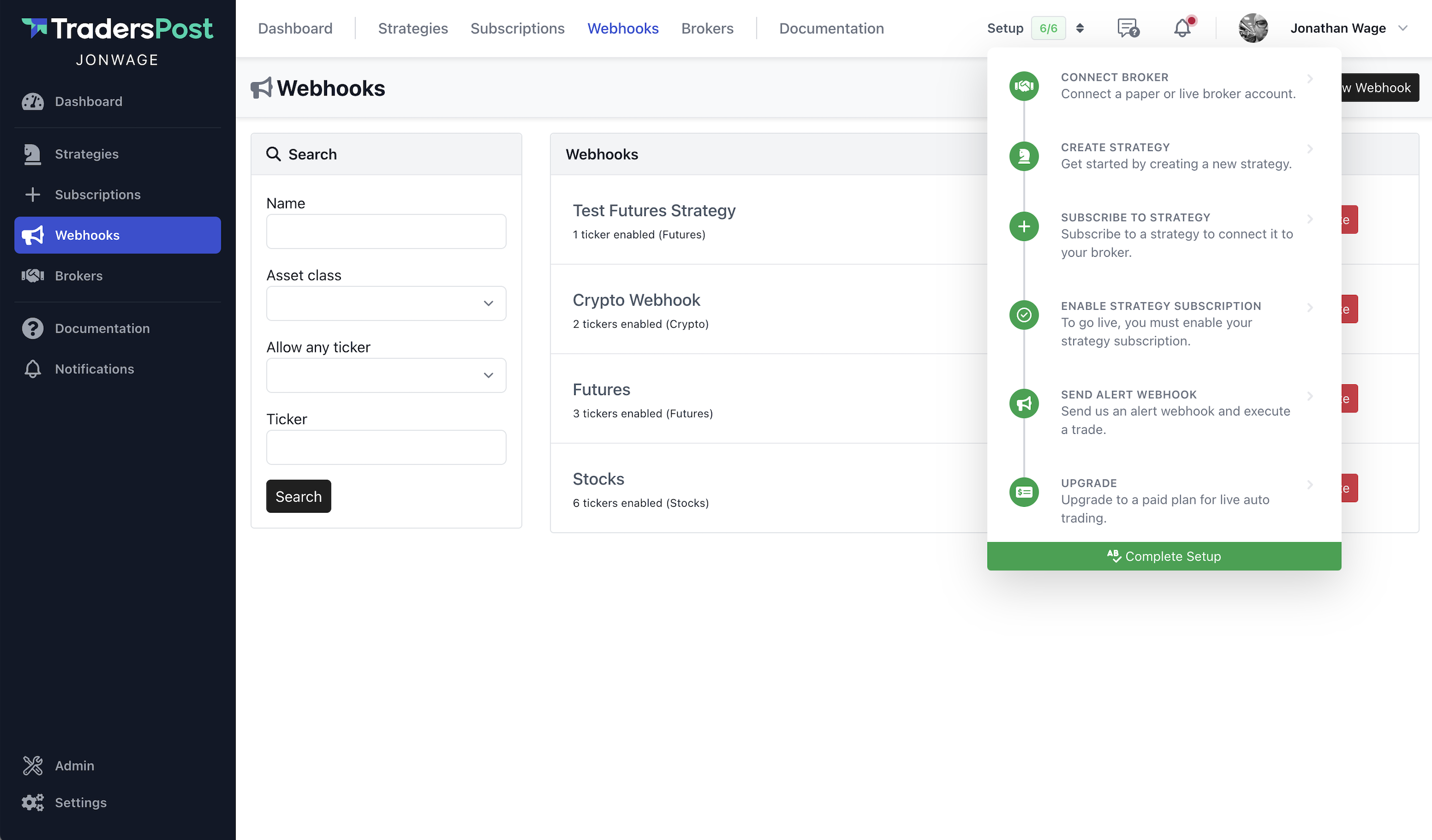
Getting setup with TradersPost can be challenging, there are a lot of moving pieces. In this release we added a simple setup wizard that can help guide you through setting up a strategy and getting it connected to your broker.
You can access the setup wizard from the header menu by clicking the Setup 1/6 button at the top right. By default the setup wizard will only show for new users and existing users will have the setup wizard hidden. You can show the setup wizard again by going to your Settings and unchecking the Hide setup wizard checkbox.
Rewritten Help Texts and Labels
A small but important detail, we've spent some time going through labels, help texts and error messages throughout the application and we rewrote them to try and make them more clear.
Additionally, if a form has an error further down on the page and isn't visible, the form error is clearly showed at the top of the page for you to see so you can scroll down on the page to fix it before saving again.