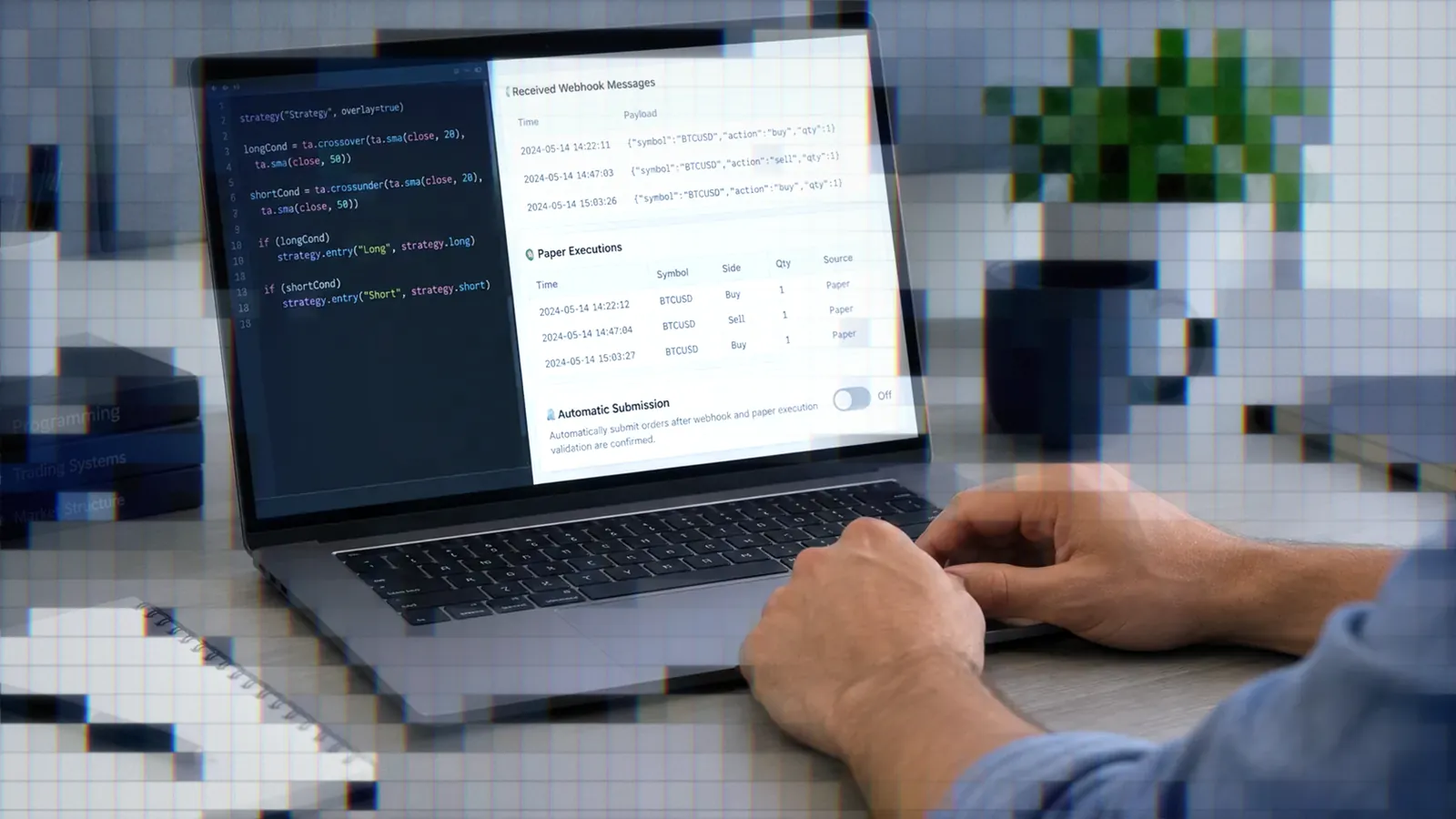
Claude Pine Script: From Prompt to Webhook
How to prompt Claude for Pine Script v6, backtest the strategy, add alert_message JSON, and connect a TradingView webhook, with the current model lineup.

Marketing

A Claude Pine Script workflow can take a plain-language trading idea through Pine Script v6 generation, TradingView backtesting, webhook configuration, and paper validation. Claude can draft and revise the code, but you still need to verify its syntax, strategy logic, alert payload, and execution behavior.
The process below covers the full path from prompt to order signal. It also explains Claude's current models and plans, where generated Pine code commonly fails, and how Claude compares with other tools covered in our Best AI for Pine Script guide.
Why Traders Use Claude
What Claude Actually Does
Claude translates a strategy description, such as a SuperTrend system, into Pine Script v6. It can also read an exported TradingView trade log and answer questions about the trades in it. One Zerodha walkthrough used Claude Sonnet 4.5 for both jobs: writing the backtest script and analyzing the trade log.1
Specify whether you need an indicator or a strategy. An indicator primarily calculates and plots values. A strategy adds entry and exit orders, allowing TradingView to run a backtest, create a trade log, and generate alerts from order-fill events.
The End-to-End Automation Path
The practical workflow is sequential: prompt Claude, review the Pine code, compile it in TradingView, configure the backtest, add an alert_message JSON payload, create an alert with a webhook URL, and test the complete chain without live capital.
- Describe the strategy in Pine Script v6 terms.
- Compile and review the generated code.
- Backtest the strategy in TradingView.
- Add the order-routing JSON.
- Create the webhook alert.
- Validate signals and paper fills.
Who This Workflow Suits
This workflow assumes you understand Pine Script inputs, TradingView's strategy report, and basic paper trading. Start with simple or moderate logic: the positive reports below involve scripts of that size, and the Zerodha team's indicator walkthrough ran into no errors at all.2
Claude's Current Model Lineup
Fable, Opus, Sonnet, and Haiku
Anthropic's current range places Fable 5.1 above Opus 5.5, followed by Sonnet 5.5 and Haiku 5.5. Opus 5.5, the first model in the Claude 5.5 family, costs $4 per million input tokens and $20 per million output tokens through the API. Anthropic says it performs at the level of Fable 5.1 on most work.3
Sonnet 5.5, the second model in the family, is priced the same as Sonnet 5 at $2 per million input tokens and $10 per million output tokens. Anthropic calls it a faster, lower-cost complement to Opus 5.5, strongest at well-scoped everyday tasks and fixing bugs.4 Haiku 5.5 followed on October 7 as Anthropic's fastest, cheapest small model, although Anthropic still recommends Sonnet or Opus for complex agentic coding.5
Plans and Model Access
Claude Free includes Sonnet and Haiku, but not Opus or Claude Code. Pro costs $20 monthly or $17 per month when billed annually, and adds Opus and Claude Code. Max starts at $100 per month.6
Fable 5 and 5.1 use pay-as-you-go credits on Pro. Max plans include Fable usage within up to 50% of the normal weekly limit.7 Because the comparison table uses family names rather than complete version numbers, confirm the exact model in Claude's model picker.
Loading v6 Rules Into Projects
Projects provide separate chat histories, instructions, and knowledge bases containing documents, text, or code. Free accounts can create up to five projects. Paid accounts receive automatic retrieval expansion of up to 10 times the normal project capacity when the content grows large.8
Create a Pine Script project, upload trusted v6 documentation or a concise rules file, and add instructions requiring v6 syntax, confirmed-bar signals, and minimal code changes. This reduces repeated context setting, although it does not replace code review.
Prompting Claude for Pine Script
Write a Clear First Prompt
A one-sentence request can produce a usable first draft. One trader asked for a strategy that entered above a 200-period moving average and exited below it, and recommended Sonnet with extended thinking for iteration.9 Name Pine Script v6 explicitly because much of the public Pine code available to models uses earlier versions.
A stronger prompt identifies direction, entry timing, exits, position sizing, visuals, and repainting constraints. For example: “Create a Pine Script v6 strategy that enters long when the close crosses above SuperTrend, exits on the opposite signal, evaluates on confirmed bar closes, and exposes all parameters as inputs.”
Why Vague Prompts Backfire
John Cook describes a vague one-line request that produced 90 lines and plotted signals on every candle. Claude then rewrote 60 of the 90 lines and broke the breakeven stop. The session ran 27 prompts over 47 minutes and cost $40.78.10
That author recommends four prompt fields: Goal, Constraint, Verification, and Output. Treat this as one prompting method, not a universal formula. Its useful principle is to state what Claude must build, what it must not change, how to verify the result, and what response format you want.
Review Before Running
Read every order condition before compiling. Confirm that entries and exits use the intended variables, signals wait for the intended bar state, and stops reference the intended price. Ask Claude to explain each condition in plain language if the generated logic is unclear.
A skills-based workflow described by InCred Money asks Claude to produce a specification and clarifying questions before writing code. Its authors also report that Claude can skip those questions or lose track of the loaded file during long conversations.11
Backtesting the Generated Strategy
Read the Strategy Report
Paste the code into the Pine Editor, save it, and add it to the chart. TradingView shows the backtest in the strategy report: net profit, drawdown, profit factor, trade count, and the list of trades. These numbers describe a historical simulation, not expected future results.
Before interpreting the report, set the strategy's currency, initial capital, commission assumptions, and default order size. Decide whether orders should process on bar close, and verify that this matches the intended live signal timing.
Paste Errors Back Into Claude
When Pine Editor reports an error, send Claude the exact message, line number, and current full script. Ask for the smallest possible correction and prohibit unrelated changes. A Zerodha writer reports that errors in this workflow often cleared after one or two iterations.2
Validate Logs Against Charts
Export the trade log and ask Claude to display the five most recent trades. Compare their timestamps, directions, entry prices, and exit prices with TradingView's chart markers. In Zerodha's documented Sonnet 4.5 example, Claude's parsed records matched the five trades checked against TradingView.1
Do not request extensive analysis until this check passes. Every later metric inherits errors introduced by missing rows, incorrect date parsing, reversed trade direction, or mishandled open positions.
Test Logic, Not Compilation
Treat every generated filter as a hypothesis. Add input toggles, then compare the same symbol, timeframe, costs, and test period with each filter enabled and disabled. Thomas Carvo reports that the ADX and golden-cross filters Claude suggested for his strategy compiled fine but made his backtest worse, and removing them helped.9
Wiring TradersPost Webhooks
Add Order Routing Messages
The Pine functions strategy.entry(), strategy.exit(), strategy.order(), and strategy.close() accept an alert_message argument. TradingView evaluates that message when the broker emulator fills the corresponding order.12
Build valid JSON containing only supported fields. A basic entry payload could contain ticker, action, quantity, orderType, price, and time. TradersPost reads this JSON and uses its supported fields to determine the corresponding order sent through the configured strategy subscription. A minimal SuperTrend strategy with entry and exit messages looks like this:
//@version=6
strategy("SuperTrend webhook example", overlay = true)

[stLine, stDir] = ta.supertrend(3.0, 10)
plot(stLine, "SuperTrend", stDir < 0 ? color.green : color.red)

bool longEntry = ta.change(stDir) < 0
bool longExit  = ta.change(stDir) > 0

if longEntry
    strategy.entry("Long", strategy.long, alert_message = '{"ticker": "' + syminfo.ticker + '", "action": "buy", "orderType": "market"}')
if longExit
    strategy.close("Long", alert_message = '{"ticker": "' + syminfo.ticker + '", "action": "exit"}')
The TradingView alert's Message field must contain {{strategy.order.alert_message}}. If an order call has no alert_message, the placeholder resolves to an empty string, so give every order call its own message. Also note that alertcondition() cannot create selectable alerts from a strategy. Strategies use order-fill events, alert() calls, or both.12
Create the Webhook Alert
Create an alert from the strategy and select order-fill events. Paste the receiving webhook URL, then place {{strategy.order.alert_message}} in the Message field. TradingView requires two-factor authentication before webhook alerts can be used.13
TradingView accepts webhook URLs on ports 80 and 443, cancels requests when the receiving server takes longer than three seconds, and applies the application/json content type when the message contains valid JSON.13 Check commas, quotation marks, placeholders, and numeric values before activating the alert.
Paper Trade Before Live Use
Webhook alerts can be delayed or fail to arrive, so compare three records: the TradingView Alert Log, the received signal, and the paper account fill. Confirm that the ticker, direction, quantity, order type, and timing correspond.
Use a paper setup for repeated end-to-end tests. With TradersPost, inspect the strategy's Signals page to confirm that each webhook arrived and review any resulting trade or rejection information. Keep Auto submit disabled until the payload and execution behavior have been checked, then enable it only when you intend orders to be submitted automatically.
Where Claude Gets Pine Wrong
The v5 Default Debate
Online reports disagree about whether Claude naturally produces v6 or falls back to v5 patterns. The public examples use different prompts and older model generations, so they do not establish a dependable default. Explicitly request //@version=6 and ask Claude to check every function against v6 rules.
Higher-Timeframe Data Risks
Inspect every request.security() call. If a call uses lookahead = barmerge.lookahead_on without a [1] offset on the requested series, historical bars see data from the future, so the backtest uses information no live trade could have had. The safe pattern requests the prior completed bar:
//@version=6
indicator("Prior daily close", overlay = true)
float dailyClose = request.security(syminfo.tickerid, "D", close[1], lookahead = barmerge.lookahead_on)
plot(dailyClose, "Prior daily close")
Confirm that every value used for a decision would have been available on the signal bar, then compare historical and real-time behavior.
Long Conversations Lose Context
InCred Money's skill-file workflow reports that Claude sometimes forgets the loaded Pine rules during long chats, after which old errors return.11 If the conversation becomes repetitive, start a new chat with the last verified script, current error, and one narrowly defined change.
Compilation Is Not Validation
Compilation confirms that TradingView accepts the syntax and types. It does not prove that order timing, position reversals, stop calculations, or higher-timeframe inputs behave as intended. It also says nothing about whether the strategy is suitable for a particular market.
What Traders Report
Positive Reports for Simple Scripts
Sandeep Rao's Zerodha walkthrough reports that a Sonnet 4.5 SuperTrend request compiled and plotted, and that Claude correctly parsed the five recent trades he checked.1 Another author used Sonnet 3.5 to convert an AmiBroker options model, highlighting its help with implied-volatility mathematics, Greeks calculations, and NSE symbol handling.14
Mixed Reports on Long Sessions
The less favorable accounts involve expanding scope. One session reached 27 prompts after unrelated rewrites, while the skills-file account reports lost instructions in long conversations. These examples favor short change sets, explicit constraints, and frequent saves of known-good code.
Interpret Anecdotes Carefully
Each report reflects one author, model, prompt, symbol, and script. Several authors also have commercial relationships, including brokerage, affiliate, newsletter, or course interests. The named models in these stories, Sonnet 3.5 and Sonnet 4.5, predate the current 5.5 generation, so their outcomes are not current-model benchmarks.
Claude Versus Other AI Tools
Claude vs. ChatGPT and Gemini
Do not declare a universal winner from vendor tests or isolated trader reports. Compare the model available on your plan, context handling, response limits, project features, and the number of correction rounds your own scripts require. Our separate guides document the workflows for ChatGPT and Pine Script and Gemini and Pine Script.
Claude vs. Claude Code
Claude Code is an agentic terminal product, not simply another browser-chat model. It is included with Pro and higher individual plans, while Free does not include it.6 See our Claude Code Pine Script guide for the repository-based workflow.
Claude vs. Pine Generators
Pine-specific generators may provide narrower forms, templates, or syntax checks. Comparisons published by those vendors are marketing claims unless independently reproduced. Claude's advantage is conversational iteration: it can explain code, discuss compiler errors, revise a specification, and analyze exported logs in the same workflow.
Bottom Line
- Ask for Pine Script v6 explicitly and specify signal timing, entries, exits, and constraints.
- Compile the code, then separately validate its trading logic and data handling.
- Check exported trade logs against chart markers before asking Claude for additional metrics.
- Use
alert_messageJSON and{{strategy.order.alert_message}}for strategy order-fill payloads. - Verify the alert, webhook receipt, and paper fill before enabling automated submission.
Claude can shorten the path from an idea to a testable TradingView strategy, but it does not remove the need for review. For model selection across Claude, ChatGPT, Gemini, Codex, and specialized tools, continue with the Best AI for Pine Script comparison.
Claude Pine Script FAQ
Do I Need a Paid Plan?
No. Free includes Sonnet and Haiku, both of which can generate Pine Script. Pro costs $17 per month when billed annually or $20 monthly, and adds Opus, Claude Code, and larger project knowledge.
Why Does Claude Write v5?
Models have seen extensive Pine v5 code, and public reports disagree about Claude's default behavior. Put “Pine Script v6” in the prompt, require //@version=6, and ask for a v6 syntax review. Older vendor tests do not establish how the current models behave.
How Do I Connect a Broker?
Add alert_message JSON to each order-generating strategy call, create an order-fill alert, paste the webhook URL, and place {{strategy.order.alert_message}} in the Message field. Test the complete path with a paper account before using live capital.
Does Compiling Mean Profitability?
No. Compilation confirms valid Pine syntax and types. It does not confirm sound entry logic, realistic execution, or future profitability. Backtests illustrate historical behavior under their assumptions and data.
Indicator or Strategy?
An indicator calculates and plots information. A strategy adds entry and exit orders, which enables TradingView backtests, trade logs, and order-fill alerts. In strategies, use order-fill events or alert() calls rather than relying on alertcondition().
References
1 How to Backtest a Trading Strategy
2 How to Build TradingView Indicators Using AI
3 Claude Opus 5.5
4 Claude Sonnet 5.5
5 Claude Haiku 5.5
6 Claude Pricing
7 Claude Fable Models on Your Plan
8 What Are Projects?
9 How to Build a Trading Strategy With Claude
10 The Four-Part Prompt That Gets Claude to Write Clean Pine
11 Building Your TradingView Indicators With Claude
12 TradingView Pine Script Alerts
13 How to Configure Webhook Alerts
14 TradingView Pine Script Option Greeks Using Claude Sonnet 3.5