Gemini for Pine Script: Strengths and Gaps
Gemini for Pine Script: what the one published test found, what traders report, current plan requirements, and the Gemini CLI to Antigravity CLI shift.

Marketing

Gemini Pine Script workflows are most credible when Gemini reads, explains, or reviews code under close supervision. Evidence for autonomous strategy generation is thin, especially for current Gemini models. For broader comparisons, see our best AI for Pine Script overview.
The practical question is not whether Gemini can produce code. It is whether that code uses Pine Script v6 correctly, implements the intended trading rules, compiles, and generates dependable alerts. This guide covers current models and plans, the limited published evidence, trader reports, the Gemini CLI transition, and a validation workflow for moving from generated code to paper trading.
Gemini for Pine Script Basics
What Gemini Is Today
Google launched Gemini 3.8 Flash on September 2, 2026, describing it as its best reasoning and coding model at the time. Google positions it for long-horizon software engineering, autonomous agents, and multi-step reasoning.1
The stable model identifier is gemini-3.8-flash. It accepts up to 1,048,576 input tokens and 65,536 output tokens, with low, medium, and high thinking levels.2 As of October 6, 2026, Google's catalog listed Gemini 3.1 Pro as its newest Pro model, still in Preview, while 3.8 Flash was the newest stable Flash model.3
Plan and Access Requirements
Google initially made 3.8 Flash available to Google AI Pro and Ultra subscribers in the Gemini app, AI Mode in Search, and Gemini in Sheets.1 Under the access changes beginning October 9, 2026, users without a subscription receive Flash-Lite, AI Plus includes Flash-Lite and Flash, and AI Pro and Ultra add Pro access.4
US pricing lists AI Plus at $4.99 per month and AI Pro at $19.99 per month. AI Ultra starts at $99.99 per month for limits five times higher than Pro, or $199.99 for limits twenty times higher. The Pro plan also lists a 1 million-token context window.5 Outside the consumer app, developers can use 3.8 Flash through the Gemini API, Google AI Studio, and Antigravity.1
From Output to Live Trading
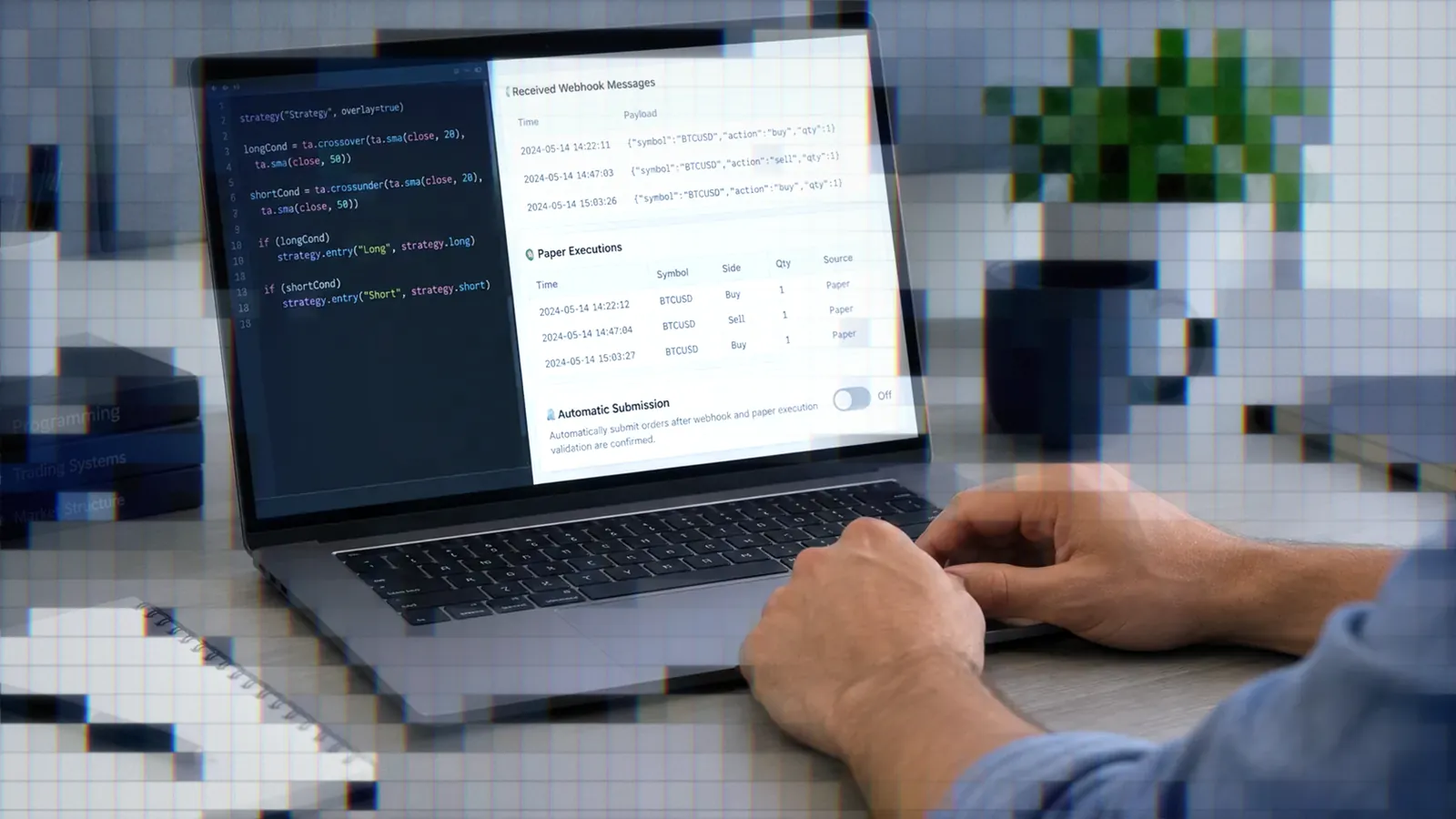
A Pine script that compiles is not yet an automated trading system. It still needs an active TradingView alert, a valid message, execution controls, and a connection to the intended broker account.
TradersPost receives TradingView webhook alerts and uses their payloads as trade signals. That provides the routing step after a Gemini-assisted script has been reviewed, compiled, and configured to generate alerts.
The One Published Benchmark Test
What the Test Measured
The three-way test most often cited on this topic was published in April 2026 by a trading automation vendor, not an independent lab. It scored Gemini 2.0 Flash at 15 of 25 points (60 percent), behind GPT-4o and Claude Sonnet 4.5. Three of Gemini's five scripts failed to compile on the first try: two used v5-style input() syntax, and one called ta.vwap_band(), a function that does not exist in Pine Script. Treat these figures as one vendor's dated claim, not a reproducible benchmark.
Why This Score Is Dated
The reported test used Gemini 2.0 Flash. Google's current catalog now marks Gemini 2.0 Flash as shut down and directs new projects toward newer releases, including 3.8 Flash.3 Even if the original test methodology was sound, it cannot rank today's model lineup.
A useful benchmark would disclose prompts, Pine versions, compiler output, correction attempts, model settings, and scoring rules. It would also repeat each task to account for output variability. A single vendor-run comparison does not satisfy those conditions.
The Explanation Claim
The same vendor test rated Gemini 2.0 Flash best of the three at explaining an existing script. That test is the only source for the idea that Gemini explains Pine code best. Treat it as a hypothesis worth testing on your own scripts, not as proof that Gemini explains Pine better than ChatGPT or Claude.
What Gemini Is Good At
Reading and Explaining Scripts
A trader gave Gemini 2.5 Pro a detailed Pine Script v6 specification using EMA crosses, RSI-based trend strength, background shading, and configurable inputs. The author said the response was “surprisingly accurate” and that the code implemented the logic exactly as specified.6
This is one person's report, not a controlled test. Still, it demonstrates a productive pattern: provide the existing script, identify the Pine version, describe the expected state transitions, and ask Gemini to explain each condition before modifying anything.
Reviewing Large Script Libraries
Google AI Pro's documented 1 million-token context window can accommodate a large collection of scripts, specifications, alert templates, and error logs in one conversation.5 That does not guarantee accurate analysis, but it reduces the need to split related files across disconnected chats.
For a library review, provide these materials together:
- The Pine Script v6 source files
- A written definition of every entry and exit condition
- Expected behavior for flat, long, and short states
- Alert messages and representative alert logs
- Known compiler or runtime problems
Simple, Clearly-Specified Indicators
A non-programmer using Gemini and ChatGPT for TradingView indicators reported “big improvements” when prompts were detailed and explicitly prevented tangents.7 The important variable was prompt precision, not the model name alone.
Where Gemini Struggles
Complex Multi-Condition Logic
One developer building an FX backtesting workflow said tools such as Gemini were adequate when the strategy was not complex, but personally preferred Claude Code for complex logic.8 The Gemini version was not stated, and the comparison was not controlled.
Complexity rises quickly when a strategy combines session filters, pyramiding, partial exits, cooldown periods, intrabar behavior, and direction reversals. Ask the model to express these rules as a state table before requesting code. If the table is wrong, the generated strategy will also be wrong.
Pine v6 Changes Models Miss
Version-sensitive output deserves a dedicated audit. In Pine Script v6, the when parameter is gone from strategy calls, a bool can no longer be na, dividing two constant integers can return a fraction, timeframe.period always includes a multiplier (such as "1D"), and and and or evaluate lazily. Ask Gemini to check its output against each of these, and do not accept code merely because it resembles an older working script.
Use this review sequence:
- Confirm the version declaration says Pine Script v6.
- Compile without making manual corrections.
- Record every compiler message before asking for a fix.
- Compare each repaired line with the strategy specification.
- Test historical bars, realtime bars, and position transitions separately.
Invented Functions and Failures
Function hallucination remains a general code-generation risk. When Gemini introduces an unfamiliar namespace or helper, ask it to identify the official signature and then verify that function in the Pine Editor. A plausible name is not evidence that the function exists.
First-compile success is also a weak quality measure. A script can compile while entering on the wrong bar, repainting a signal, mishandling position state, or sending duplicate alerts.
Gemini CLI Shutdown and Antigravity
The June 18 Cutoff
On June 18, 2026, Gemini CLI and Gemini Code Assist IDE extensions stopped serving Google AI Pro and Ultra subscribers and people using Gemini Code Assist for individuals at no charge. Organizations on Gemini Code Assist Standard or Enterprise licenses kept access, as did organizations using Gemini Code Assist for GitHub through Google Cloud. Gemini CLI also remained accessible with paid Gemini and Gemini Enterprise Agent Platform API keys.9
What Antigravity CLI Changes
Antigravity CLI launched on May 19, 2026. Google says it is built in Go and available to everyone. It carries over Agent Skills, Hooks, Subagents, and Extensions (now called Antigravity plugins), although Google warned that feature parity would not be immediate.9
The new command is agy. Existing workspace GEMINI.md and AGENTS.md files continue to work. MCP server definitions move from ~/.gemini/settings.json into standalone mcp_config.json files.10
Is Antigravity CLI Open Source?
The Register reported that Antigravity CLI's GitHub page contained a changelog, readme, and GIF rather than the tool's source, concluding that it did not appear to be open source. The same report quoted Google saying Gemini CLI remains available as an Apache 2.0 licensed repository and noted developer complaints about usage limits after the transition.11
Traders Using Gemini
Positive Reports on Clear Specs
The strongest positive report involved Gemini 2.5 Pro and a detailed EMA-cross indicator with RSI shading, exact Pine v6 requirements, and chart-based inspection.6 Another user attributed better TradingView indicator results to detailed wording and restrictions that kept the model focused.7
Mixed Reports on Complex Logic
The available direct comparison is mixed: one trader considered general AI tools sufficient for simpler strategies but preferred Claude Code when the logic became complex.8
Pattern and Evidence Limits
Each report represents one person's experience, often with an older or unstated Gemini model. None of these reports covers Gemini 3.8 Flash or Antigravity CLI. The evidence supports a cautious workflow, not a platform ranking.
From Gemini Output to Strategy
Verify Pine v6 Compliance
Start by compiling an unchanged copy of Gemini's output. Then inspect every warning and compare the implementation against a plain-language specification. Pay particular attention to version-sensitive syntax, boolean state, division behavior, timeframe comparisons, and short-circuit logic.
Paper Trade Before Capital
Compilation proves syntax, not strategy validity. Backtests are historical simulations, and paper fills do not guarantee live execution quality. Confirm alert timing, message content, position direction, quantity, exits, and duplicate-signal behavior before committing capital.
When TradersPost receives a TradingView webhook, its trade history should correspond to entries in TradingView's Alert Log. Compare timestamps and exact alert messages during testing. If your selected broker integration provides a paper connection, connect your TradingView alert through TradersPost and validate that workflow there before using a live account.
Match Models to Steps
The best-supported Gemini workflow is supervised review: explain an existing script, compare it with a written specification, identify suspicious code, and propose limited changes. For complex strategy generation, compare Gemini's logic with another model and resolve differences manually before compiling.
Bottom Line
- Gemini 3.8 Flash is Google's current stable Flash model, but Pine-specific evidence for it remains limited.
- Trader reports are most positive when prompts specify Pine v6, exact conditions, and expected chart behavior.
- The only published three-way test is a dated vendor test of Gemini 2.0 Flash, so it cannot rank current Gemini, Claude, or ChatGPT models for Pine Script.
- Antigravity CLI replaced Gemini CLI for AI Pro, Ultra, and free Code Assist users, with only partial feature parity at launch.
- Compile, inspect, backtest, and paper trade every generated script before considering live execution.
Use the best AI for Pine Script guide to compare Gemini with other tools, then choose the model that fits each stage rather than assigning one model the entire workflow.
Frequently Asked Questions
Does Gemini Write Correct Pine v6?
It can produce working Pine Script v6, as one Gemini 2.5 Pro report describes, but one report does not establish consistent accuracy. Check version-sensitive syntax, state handling, timeframe comparisons, logical conditions, alerts, and strategy behavior in every output.
Which Gemini Model Should I Use?
Gemini 3.8 Flash is Google's newest stable Flash model as of October 2026. Gemini 3.1 Pro is the newest listed Pro model, but it remains in Preview.3 Prefer a stable model for a repeatable workflow unless you specifically need to evaluate Preview behavior.
Do I Need a Paid Plan?
Consumer access depends on the model. Under the October 2026 access changes, users without a subscription receive Flash-Lite, while Pro and Ultra plans include access to Pro models.4 Developers can also use available models through AI Studio and the Gemini API.
What Happened to Gemini CLI?
Gemini CLI stopped serving AI Pro and Ultra subscribers and free Code Assist for individuals on June 18, 2026. Antigravity CLI, invoked with agy, became the replacement for those users. Gemini CLI remains available through qualifying enterprise access and paid API keys.9
Is Gemini Better Than Competitors?
The one published comparison is a vendor test of Gemini 2.0 Flash, a model Google has since shut down. The positive trader reports involve clearly specified indicators, while one trader preferred Claude Code for complex logic. Compare models on your own scripts rather than relying on a universal ranking.
References
1 Introducing Gemini 3.8 Flash
2 Gemini 3.8 Flash Model Documentation
3 Gemini API Models
4 Changes to Gemini Model Access and Limits
5 Google AI Plans
6 Requesting a TradingView Indicator From Gemini 2.5 Pro
7 TradingView Indicator Prompting Report
8 Using AI for an FX Backtesting Workflow
9 Transitioning Gemini CLI to Antigravity CLI
10 Migrating From Gemini CLI
11 Google Moves Users to Antigravity CLI