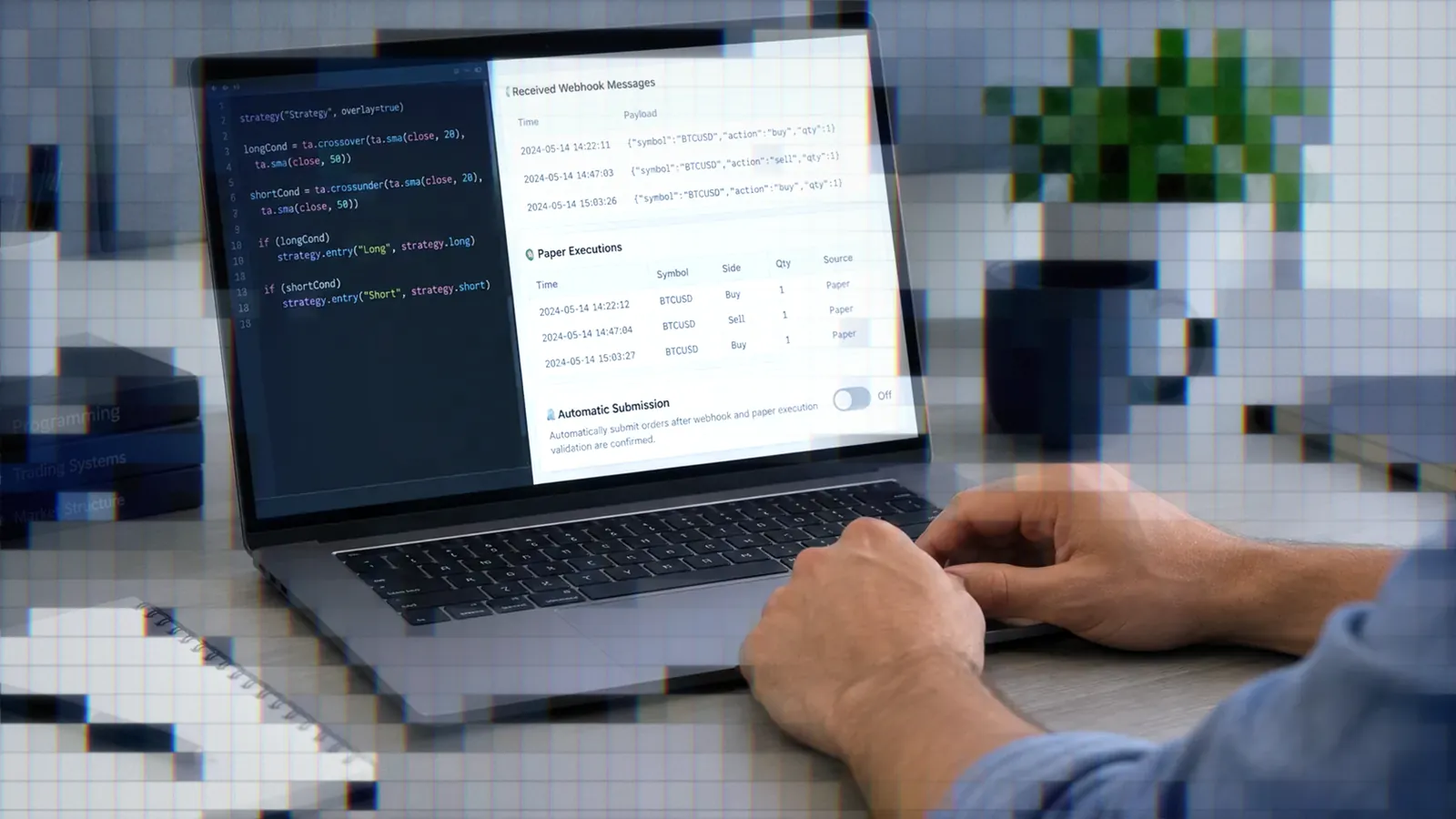
Best AI for Pine Script in 2026
A sourced comparison of AI tools for Pine Script: what each platform documents, what individual traders report, and where every model still gets Pine v6 wrong.

Marketing

The best AI for Pine Script depends less on a single model ranking than on the job. Chat assistants are efficient for short indicators, coding agents suit larger projects, Pine-specific generators reduce setup, and TradingView AI Copilot works directly inside the chart. None can be trusted to produce correct Pine Script v6 without review.
No independent benchmark currently compares the latest tools on Pine specifically. Available evidence consists of documented features, limited academic research, vendor tests, and individual trader reports. One of those reports favors Claude Code for complex logic, but it is one person's experience and does not establish a universal winner.
The practical choice is a tool that can use current Pine documentation, revise code across multiple passes, and fit your workflow. Regardless of model, compile every draft, inspect its version, test for repainting, and compare historical behavior with realtime bars before creating an executable alert.
The Short Answer By Trader Type
Chat Assistants For Quick Drafts
ChatGPT, Claude, Gemini, and Grok are reasonable first stops for short indicators. They perform best when the prompt defines the script type, Pine version, inputs, calculations, entry and exit conditions, plotting rules, alert behavior, and restrictions such as confirmed-bar signals.
A non-programmer using ChatGPT and Gemini for TradingView indicators reported “big improvements” and said detailed wording plus tight constraints often produced working code.1 That is one person's experience, not a controlled comparison. See the dedicated reviews of ChatGPT for Pine Script, Claude for Pine Script, Gemini for Pine Script, and Grok for Pine Script for platform-specific workflows.
Coding Agents For Complex Projects
Claude Code, OpenAI Codex, Cursor, and GitHub Copilot work inside an editor or command-line workflow. Instead of returning one chat reply, they work on your project files, so they can iterate across several related files over a longer task.
A developer building a Go compiler and runtime for Pine v6 compared GPT-5.3 Codex with Claude Opus 4.6. He described Codex as faster, less expensive in his setup, and more likely to request confirmation. Opus was slower but better suited to pushing deeply through a task in one pass. He chose between them by task rather than declaring an overall winner.2
Separately, an iOS engineer generating Pine v5 strategies for FX backtests said most AI tools handled simple strategies, while Claude Code was his preference for complex logic and code accuracy.3 Both accounts describe individual projects using model versions that are no longer the current lineup. Read the focused reviews of Claude Code, OpenAI Codex, and Cursor and GitHub Copilot.
Pine-Specific Generators
Pineify and LuxAlgo Quant represent a different workflow: describe an indicator or strategy in natural language, then receive Pine code without configuring an editor agent. This can be convenient for beginners who want a script to paste into TradingView.
Published vendor comparisons in this category do not disclose enough information to support a durable ranking. Missing details commonly include complete prompt sets, model versions, scoring rules, and all failed outputs. Treat them as product demonstrations, then evaluate licensing, export format, v6 syntax, alert support, and repair behavior yourself. See the dedicated Pineify review and LuxAlgo Quant review.
TradingView's AI Copilot
TradingView launched its native AI Copilot on September 28, 2026. It is a separate paid add-on for Essential, Plus, Premium, and Ultimate plans, and a trial plan also qualifies. It is available on the web and desktop app, but not yet in mobile apps.4
AI Copilot can write and apply Pine Script directly to a chart. It can also switch symbols and layouts, add indicators, draw levels, and create alerts or watchlists. The add-on renews monthly, includes a monthly usage limit TradingView says most users will not reach, and does not roll unused usage into the next month. TradingView's announcement does not disclose an official price or underlying model.4
Its main advantage is workflow integration rather than proven coding accuracy. Read the full TradingView AI Copilot review for setup and testing details, and our roundup of AI trading tools for TradingView for tools beyond Pine coding.
Comparing AI Tools For Pine Script
What The Table Covers
Model names and prices change too quickly for an undated scorecard to remain useful. The more durable comparison is how each category handles context, validation, repair, and deployment.
| Tool category | Model access | Starting cost | Pine v6 handling | Docs grounding | Validation and repair | Code destination |
|---|---|---|---|---|---|---|
| Chat assistants | Varies by plan and model picker | Free or paid access varies | Must be requested and verified | Manual document attachment or pasted excerpts | Conversational repair | Copy into Pine Editor |
| Coding agents | Selected model or provider | Subscription or usage based | Can follow project instructions, but still needs verification | Project files, skills, or MCP configuration | Multi-file iteration and available checks | Editor, repository, or CLI |
| Pine generators | Often undisclosed | Vendor dependent | Check exported annotation and syntax | Vendor dependent | Usually regenerate or revise | Copy or export to TradingView |
| AI Copilot | Underlying model undisclosed | Separate paid add-on, official price undisclosed | Still requires Pine Editor review | Works with TradingView data | Conversational revision on chart | Applied directly to chart |
Use the table to choose a workflow, not to infer accuracy. Each platform review covers its current plans and features in more detail.
Why Docs Grounding Matters Most
Research on rarely seen APIs provides the strongest evidence for documentation grounding. In one study, GPT-4o produced valid low-frequency API calls in 38.58% of cases. Supplying documentation during generation increased that figure to 47.94%. Poor retrieval also caused a 39.02 percentage-point decline on high-frequency APIs, showing that irrelevant context can make results worse.5
The practical lesson is to provide the exact Pine v6 pages required by the task. A targeted section about request.security(), strategy exits, or alert conditions is more useful than a large, loosely retrieved documentation bundle.
A trader on Elite Trader made the same practical argument: model choice mattered less than supplying Pine documentation prepared for language models before requesting code.6
Limits Of Vendor Comparisons
The multi-model Pine scorecards published by vendors such as Pineify, PickMyTrade, and TradePilot come from companies selling Pine tools. Their test sets are small or undisclosed, and they either test models that have since been replaced or name no model versions at all. They may illustrate a test format, but they cannot establish which current platform is most accurate. Undisclosed prompts also make failures impossible to reproduce.
We found no independent benchmark that ranks today's model lineup specifically on Pine Script. Avoid treating a vendor's percentage, compile rate, or score as an independent result unless it publishes the full prompts, outputs, version numbers, scoring method, and test date.
Free And Open-Source Alternatives
DeepSeek, Qwen, Mistral, PineGen, and free chat tiers let traders test prompt structure before committing to a subscription. Whether one suits your script is something to test with your own prompts, ideally with current documentation pasted in.
Free access may offer different models, context limits, or usage caps than paid access. Evaluate the actual model available to you rather than relying on the platform name. The free AI Pine generators comparison covers these tradeoffs.
What Traders Report Using Them
Complex Logic Head-To-Head Tests
The two head-to-head anecdotes we found both involve coding agents, and the sample is tiny. The FX backtest builder cited earlier preferred Claude Code for complex logic and accuracy while saying simpler strategies were possible with most tools.3
The Pine compiler developer reached a more nuanced conclusion. GPT-5.3 Codex suited fast work with frequent confirmation, while Claude Opus 4.6 suited deeper autonomous passes.2 Neither account used a standardized prompt suite, and neither tested the current model lineup.
Mixed Results For Beginners
Beginner reports point in opposite directions. One non-programmer saw better results from ChatGPT and Gemini after making prompts detailed and narrowly scoped.1 A Hacker News commenter described language models as “quite bad at pinescript,” citing mixed versions, code that did not run, and failed corrections after feedback.7
These experiences can both be true. A short indicator with explicit formulas is easier to verify than a strategy containing order state, multi-timeframe data, pyramiding, intrabar calculations, and dynamic sizing.
Why Discard Rates Run High
One builder reported generating more than 40 indicators with Claude Code and Cursor but keeping three. Repainting outputs were discarded. Of the retained scripts, a volume detector needed only a manual presentation adjustment, an EMA ribbon needed a scoring correction, and an RSI dashboard took three iterations.8
That account highlights the central distinction: generation speed is not validation. A script may compile while calculating the wrong score, requesting unstable data, issuing excessive signals, or creating alerts that differ between historical and realtime bars.
Docs Beat Model Choice
Documentation does not guarantee correct code, but it reduces reliance on outdated training data. Combine current Pine pages with a constrained prompt, then ask the model to cite which documented functions and version-specific rules it used.
This approach aligns with both the forum advice and API research: provide relevant documentation when the model is likely to encounter a rare or changing interface, but avoid flooding it with unrelated material.
Where Every AI Still Fails
Mixing Pine v5 And v6
TradingView warns that models trained with a cutoff date can mix Pine language versions and produce code that does not work. It also cautions that generated code may use features borrowed from general-purpose languages.9
Pine v6 changed several behaviors an AI may miss:
- Division of two constant integers can return a fractional value.
- Boolean values can no longer be
na. andandornow evaluate lazily.- The
whenparameter was removed from applicable strategy functions. - The
transpparameter was removed from applicable functions. - Default long and short strategy margin percentages changed to 100.
The Pine Editor can convert compiling v5 code to v6, but TradingView notes that automatic conversion can still leave compilation errors requiring manual fixes.10
Invented Functions And Syntax
An AI can confidently invent a plausible namespace, parameter, or overload. TradingView explicitly says AI tools hallucinate Pine features and may import syntax patterns from languages with larger training corpora.9
Research across programming languages offers a useful analogue. Code models perform well on languages heavily represented in training data but struggle with low-resource languages.11 Pine's specialized and evolving API makes direct documentation checks essential.
Library evolution creates another problem. An ICSE 2025 study tested seven language models with 28,125 completion prompts and found that models can suggest deprecated APIs as libraries change.12 When a correction is needed, specify the exact replacement and request a complete revised script, not merely an explanation.
Repainting That Compiles Fine
TradingView defines repainting as historical and realtime calculations or plots behaving differently. It estimates that more than 95% of indicators exhibit some form of repainting, although not every form is harmful.13
The dangerous case is future leakage. A request.security() call using barmerge.lookahead_on without offsetting the requested expression by [1] can return future information on historical bars. TradingView describes this as misleading and moderates published scripts using the technique.13
Before an AI-written script sends a webhook, check whether its trigger waits for barstate.isconfirmed. An unconfirmed-bar signal can disappear before the bar closes, leaving a live or paper order that the closed-bar chart no longer displays.
Ask specific questions rather than “does it repaint?” Check whether the script:
- Calculates identically on historical and realtime bars.
- Waits for a confirmed bar before alerting.
- Plots or moves values into the past.
- Uses
calc_on_every_tick. - Leaks future data through
request.security().
Unproven 2026 Feature Knowledge
Pine changed throughout 2026. TradingView added request.footprint() plus the footprint and volume_row types in January, multiline strings in April, calc_on_every_history_tick in July, and the once structure in August. Footprint requests require a Premium or Ultimate plan.14
Do not assume a model knows or lacks these features based on its release date. Test it by supplying the relevant release note and asking for a minimal script. Pine v6 launched in November 2024, and TradingView states that future Pine updates apply exclusively to v6.14
Choosing An AI By Indicator
Trend And Moving Average Tools
Moving averages and basic trend indicators are suitable first projects because their calculations and plots are easy to inspect. Define the average type, source, lengths, crossover rules, colors, and confirmed-bar behavior. See the trend and moving average guide.
Momentum And Oscillator Indicators
Momentum, oscillator, and divergence tools introduce more state and conditional logic. Specify pivot confirmation, threshold equality, reset behavior, and whether divergence markers may appear only after a pivot is confirmed. The momentum and oscillator guide covers these checks.
Volatility And Volume Indicators
ATR, Bollinger Band, and Keltner indicators need explicit source, smoothing, and multiplier rules. Volume and VWAP tools require session and reset definitions. Use the dedicated guides for volatility indicators and volume, VWAP, and footprint indicators.
Footprint scripts need special attention because request.footprint() is a 2026 addition with plan requirements. Give the AI the current documentation rather than asking it to reconstruct the API from memory.
Structure And Multi-Timeframe Indicators
Support, resistance, pivots, and market-structure tools often confirm events several bars after the apparent turning point. Prompts must distinguish detection time from the bar where a pivot is eventually plotted. See the guides to support, resistance, and pivots and market structure indicators.
Multi-timeframe scripts add request.security() risks. Use the multi-timeframe guide for confirmed higher-timeframe requests and the alert-ready indicator guide for webhook design.
Choosing An AI By Strategy
Trend Following And Momentum
Trend-following and momentum strategies require precise entry timing, exit priority, reversal rules, and position state. Ask the AI to make every assumption visible as an input or comment. See the trend-following strategy guide and momentum strategy guide.
Mean Reversion And Breakouts
Mean-reversion prompts should define the reference mean, deviation measure, re-entry restrictions, and invalidation rule. Breakout and opening-range prompts need timezone, session boundaries, range reset logic, and rules for multiple breaks. Read the mean-reversion guide and breakout and opening-range guide.
Scalping, Swing And Grid Trades
Scalping logic is sensitive to intrabar calculations, fees, slippage assumptions, and alert latency. Swing systems depend more on position persistence and gap behavior. Separate guides cover scalping strategies and swing strategies.
Grid, DCA, and scale-in systems require careful quantity accounting, pyramiding limits, average entry calculations, and partial exits. Review every sizing branch in the grid and scaling guide.
Futures Strategies For Webhooks
Futures automation adds contract identification and rollover decisions. TradersPost maps continuous symbols such as NQ1! to the front-month contract on its own rollover schedule, which may differ from TradingView's, so its documentation recommends sending explicit contract symbols. The futures webhook strategy guide covers payload and symbol considerations.
From AI Draft To Live Trade
Compile And Paper Test First
Paste every generated script into the Pine Editor before evaluating its trading logic. Resolve compiler errors, warnings, missing annotations, and invalid function calls first. Then compare signals across symbols, timeframes, historical bars, and a live chart.
Keep a realtime observation log. Record when a marker or alert appears, then confirm whether it remains after the bar closes and after the script reloads. Historical charts do not contain every update that occurred while a realtime bar was developing, so a plausible backtest cannot prove stable live behavior.
Turn A Script Into Alerts
A Pine strategy can use one alert per ticker with the {{strategy.order.alert_message}} placeholder when its order calls provide the internal messages. An indicator instead needs separate alertcondition() calls and separately configured alerts for each signal.
A webhook message can include supported fields such as ticker, action, sentiment, quantity, price, and time. TradingView placeholders can insert chart and strategy values when the alert fires. Validate the final JSON because incorrect quoting or unsupported fields can prevent parsing.
Route The Alert To A Broker
TradersPost can receive supported alert fields and use them when planning an order for a connected broker. Its test field processes a signal without sending an order to the broker, providing a way to check new webhook plumbing before enabling execution.
Subscription settings still control behavior such as auto-submit, allowed sides, and default order types. Confirm those settings alongside the script because the same incoming signal can be handled differently under a different subscription configuration.
Once the AI-written script compiles, behaves consistently in realtime, and passes a paper test, connect its TradingView alert through TradersPost and send test signals before allowing broker orders.
Fix Errors The AI Left
Common repair targets include invented functions, v5 syntax in a v6 file, incorrect order state, unstable higher-timeframe values, and unconfirmed-bar alerts. Give the model the compiler message, the smallest failing code section, and the relevant documentation excerpt.
Then request a complete corrected script and a concise list of changed lines. Do not accept a verbal acknowledgment without checking the new code. The AI Pine error-fixing guide provides reusable repair prompts.
Conclusion
Bottom Line
- Use chat assistants for short, tightly specified indicators.
- Use coding agents when the project needs repeated edits, project context, or multiple files.
- Prefer current documentation grounding over confidence in any model name.
- Assume every generated script can contain version errors, invented APIs, or repainting logic.
- Compile, observe in realtime, test the webhook, and paper trade before enabling live execution.
There is no defensible universal winner for the best AI for Pine Script in 2026. Start with the workflow that matches your project, provide exact Pine v6 documentation, and make TradingView's compiler plus realtime behavior the final authority.
Frequently Asked Questions
Which AI Writes Pine Most Accurately?
No independent benchmark ranks current models specifically on Pine Script. Individual reports sometimes favor Claude or Claude Code for complex logic, but those are isolated experiences using older model versions. Current documentation, constrained prompts, and direct validation are more reliable than a platform ranking.
Do ChatGPT Or Claude Default To v6?
Not reliably. TradingView warns that AI can mix Pine versions due to training cutoffs. Check for //@version=6, inspect removed parameters such as when and transp, and use the Pine Editor's “Convert code to v6” option when starting with valid v5 code. Our v5 to v6 migration guide walks through it.
Can AI Pine Code Repaint?
Yes. A script can compile while behaving differently on historical and realtime bars. Inspect confirmed-bar logic, calc_on_every_tick, past plotting, and every request.security() call. Test what the alert did in realtime instead of relying only on the historical chart.
Is Free Pine Script AI Available?
Yes. Free chat tiers and models such as DeepSeek, Qwen, and Mistral can generate Pine drafts. Access conditions change, so compare the actual model, context allowance, and usage limit available when you test. Free tools still require the same compilation and repainting review.
What Is The Safest Deployment?
Compile the code, compare historical and realtime behavior, confirm that alerts wait for the intended bar state, and test the webhook without submitting an order. Then paper trade the complete workflow before funding live execution. A successful compilation or backtest is not sufficient evidence of reliable realtime behavior.
References
1 Hacker News: ChatGPT and Gemini TradingView Indicator Report
2 Building a PineScript Engine With GPT-5.3 Codex and OpenCode
3 Using AI for FX Strategy Backtests
4 AI Copilot Comes to TradingView
5 On Mitigating Code LLM Hallucinations With API Documentation
6 Elite Trader: Supplying Pine Documentation to AI
7 Hacker News: LLM Pine Script Version Confusion
8 AI-Generated TradingView Indicators I Actually Use
9 Will AI Help Me Write Pine Script Indicators?
10 Migrating to Pine Script Version 6
11 Knowledge Transfer for Low-Resource Programming Languages
12 LLMs Meet Library Evolution
13 Pine Script Repainting
14 Pine Script Release Notes