Automate Forex Trades From TradingView to OANDA
Send TradingView forex alerts to OANDA through a webhook: alert JSON, unit sizing, fill-or-kill orders, bracket exits, market hours, and safe testing steps.

Marketing

Bottom Line
- Send a normalized ticker, explicit order type, whole-unit quantity, and alert price.
- Choose fill or kill for complete market fills, or IOC when partial execution is acceptable.
- Attach bracket or OTO exits once, then avoid duplicate exit signals.
- Filter the daily break in Pine Script and verify the complete workflow with a small quantity.
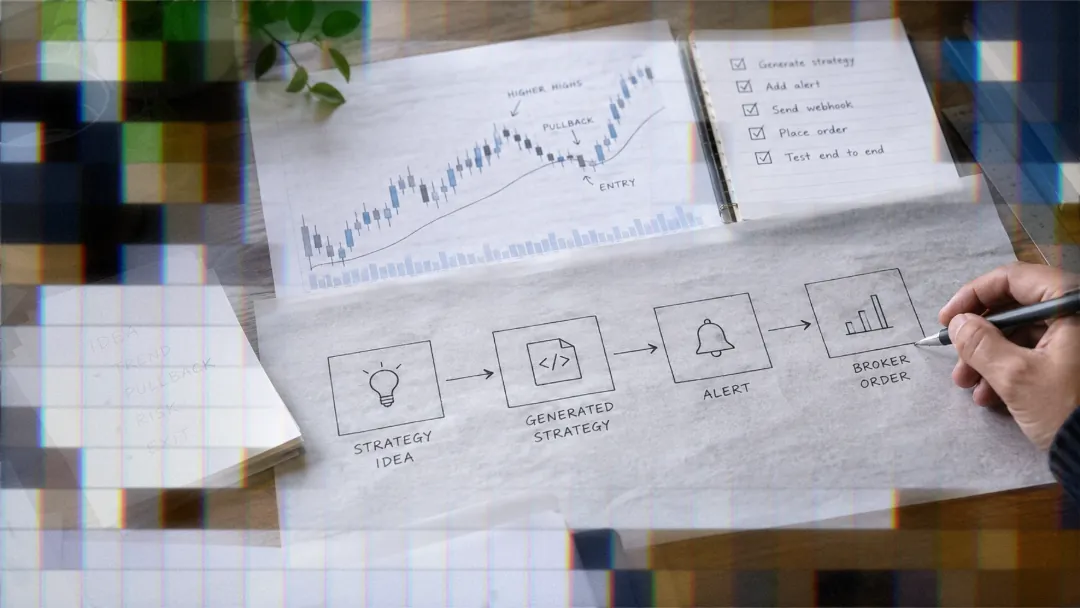
To automate forex trading, TradingView can generate a signal, send it through a webhook, and route the resulting order to an OANDA account. TradersPost provides the connection layer that parses the alert JSON, applies strategy settings, and submits the supported order to the connected account.
The workflow requires careful handling of ticker format, unit quantity, time in force, attached exits, and OANDA's trading schedule. This guide covers the complete setup, from a test signal through a small live order.

What You Need First
Connect Your OANDA Account
If you have not completed the connection, follow the OANDA connection guide before creating alerts.
Create a Forex Strategy
A TradersPost strategy defines its asset class. Select Forex to make the OANDA connection available for the strategy. The strategy provides the unique webhook URL that receives your TradingView alerts.
Subscribe the connected account to the strategy, enable automatic submission if appropriate for your test, and review the entry, exit, quantity, and allowed-side settings before sending a signal. The broader forex automation page explains the available workflow.
Enable TradingView Webhooks
Use a TradingView plan that exposes webhook notifications in the alert dialog. TradingView alerts can monitor price, indicator, or strategy conditions, and Pine Script can define custom alert logic.2
Paste the strategy webhook URL into the alert's Webhook URL field. Treat that URL as a secret because anyone who obtains it may be able to send signals to the strategy.
Build the Trading Logic
A Pine Script strategy keeps entry and exit rules together and allows one strategy alert per ticker using dynamic placeholders such as {{strategy.order.action}}. Indicator alerts also work, but you must define and maintain their entry and exit messages separately.
Choose the pair before constructing the JSON. An automated system should react to objective, predefined rules rather than subjective chart interpretation.3 Confirm that the strategy behaves correctly in TradingView's historical and real-time testing before connecting execution.
Write the Alert JSON
Basic EUR/USD Market Entry
A basic market entry needs a ticker, action, and quantity. Set orderType explicitly so the signal does not depend on the subscription's fallback order type.
{
  "ticker": "EURUSD",
  "action": "{{strategy.order.action}}",
  "quantity": 1000,
  "price": "{{close}}",
  "orderType": "market"
}
The price field records the market price when the alert fired. Sending it lets you compare the alert price with the fill price later.
TradingView Placeholders Explained
{{ticker}}inserts the ticker associated with the alert.{{strategy.order.action}}insertsbuyorsellfor the triggered strategy order.{{close}}inserts the current chart price when the alert fires.
TradingView replaces placeholders when it sends the message. Inspect the webhook log after testing to confirm that the resulting values, rather than the placeholder text, reached the endpoint.
Add an Exit Alert
An exit action closes the open position associated with that ticker. Use the same normalized ticker as the entry so the signal can be matched consistently.
{
  "ticker": "EURUSD",
  "action": "exit",
  "price": "{{close}}",
  "orderType": "market"
}
Accepted Ticker Formats
Use a base and quote currency format that the Forex strategy recognizes. The compact EURUSD format is appropriate for the webhook examples in this guide. EUR/USD and EUR_USD are also recognized for a Forex strategy.
Unsupported ticker shapes are rejected with invalid-forex-ticker-format. If that appears, correct the ticker rather than changing the order type or quantity.
Size Orders in Units
What a Unit Means
Forex quantity is expressed in whole units of the first currency in the pair. For EUR/USD, a quantity of 10,000 represents 10,000 euros. At a price of 1.0800, the position value in the quote currency is 10,000 multiplied by 1.0800, or $10,800.
Do not select quantity from the desired position value alone. First define the maximum dollar loss, determine the stop distance, and then calculate how many units fit that risk limit.
Estimate Pip Value
For a pair priced in US dollars, one pip is normally 0.0001. A 10,000-unit position therefore changes by about $1 for each pip of price movement. If the stop is 20 pips away, that position has about $20 of price risk before slippage and trading costs.
For a yen pair, a pip is 0.01. A 10,000-unit position changes by 100 yen per pip, and the dollar value depends on the relevant exchange rate. Use the following process:
- Set the maximum dollar risk for the trade.
- Measure the entry-to-stop distance in pips.
- Calculate the value allowed per pip.
- Convert that value into units for the selected pair.
- Round down and verify the result.
Use Whole Numbers
This connection submits whole units. A quantity containing decimals is rounded down to the nearest whole unit. Calculate the required quantity directly, then send an integer such as 8750 rather than 8750.75. If your OANDA account is held in a currency other than US dollars, sizing and profit and loss are shown in that account currency.
Market Orders: Fill or Kill
Default Fill-or-Kill Behavior
When a market order carries day or gtc time in force, TradersPost sends it to OANDA as fill or kill. The complete requested quantity must fill immediately or the order is canceled. No partial position remains from that order.
Accept Partial Fills With IOC
Use immediate or cancel when a partial fill is preferable to an all-or-nothing result. The available quantity fills immediately, while the unfilled remainder is canceled.
{
  "ticker": "EURUSD",
  "action": "buy",
  "quantity": 10000,
  "orderType": "market",
  "timeInForce": "ioc",
  "price": "{{close}}"
}
Limit and Stop Entries
Limit and stop entries can remain open until the specified price is reached or the order expires or is canceled. Include the corresponding price field rather than relying on the current market price.
{
  "ticker": "EURUSD",
  "action": "buy",
  "quantity": 10000,
  "orderType": "stop",
  "stopPrice": 1.0850,
  "timeInForce": "gtc"
}
The order types sent through this connection are market, limit, stop, and trailing stop. A trailing stop manages an existing position and does not open a new position by itself.
Stop-Limit Is Not Sent
TradersPost does not send stop-limit orders to OANDA through this connection. If your entry logic calls for a stop-limit order, choose either a stop entry or a limit entry and test how that change affects execution.
Add Take Profit and Stop Loss
Use Absolute Exit Prices
A bracket signal can attach both exit legs to the entry. Calculate the levels before sending the webhook and place them in takeProfit.limitPrice and stopLoss.stopPrice.
{
  "ticker": "EURUSD",
  "action": "buy",
  "quantity": 10000,
  "orderType": "market",
  "takeProfit": {
    "limitPrice": 1.0900
  },
  "stopLoss": {
    "type": "stop",
    "stopPrice": 1.0800
  }
}
Understand Percent Exits
The takeProfit.percent and stopLoss.percent fields calculate exits relative to the estimated entry price.
Convert the percentage into a price distance, then divide by the pair's pip size. For example, a 0.10% distance from an estimated EUR/USD entry of 1.0800 is 0.00108, or approximately 10.8 pips. This check prevents an apparently small percentage from creating an unintended stop distance.
OTO With One Exit
Sending only a take profit or only a stop loss with the entry creates a one-triggers-other order. The exit becomes active after the entry fills.
Do not send a duplicate standalone exit for a level already attached to the entry. Duplicate instructions can close a position earlier than intended or produce a later exit signal when no matching position remains.
Add a Trailing Stop
Set the stop-loss type to trailing_stop and provide either trailPercent or trailAmount. Do not send both trail fields in the same leg.
{
  "ticker": "EURUSD",
  "action": "buy",
  "quantity": 10000,
  "orderType": "market",
  "stopLoss": {
    "type": "trailing_stop",
    "trailPercent": 0.25
  }
}
The trailing leg manages the open position after the entry fills. It never opens a position independently.
Respect Market Hours
The Forex Trading Week
Most pairs trade from Sunday at 5:05 PM through Friday at 4:59 PM New York time.4 A limited set of pairs may follow shorter schedules, so confirm the current OANDA hours for the instrument before enabling an alert.
Although algorithms can run continuously during the trading week, continuous operation increases exposure to market events and technical failures.3 Trading hours should therefore be an explicit strategy condition, not an assumption.
OANDA's Daily Break
OANDA applies a daily break from 4:59 PM to 5:05 PM New York time. Positions are not opened or closed during that interval.4 Suppress new entries before and during the break rather than depending on an order rejection.
Also decide how the strategy should handle a position whose intended exit occurs near the break. The signal source, webhook delivery, and broker execution are separate stages, so an alert firing does not prove that an order filled.
Filter the Break in Pine
The following Pine Script v6 filter skips entries from 4:50 PM to 5:10 PM New York time, a window around the break. Apply the condition to every strategy.entry call that can produce an order alert.
//@version=6
strategy("EUR/USD daily break filter", overlay = true)
nyHour    = hour(time_close, "America/New_York")
nyMinute  = minute(time_close, "America/New_York")
nearBreak = (nyHour == 16 and nyMinute >= 50) or (nyHour == 17 and nyMinute < 10)
longSignal = ta.crossover(ta.ema(close, 20), ta.ema(close, 50))
if longSignal and not nearBreak
strategy.entry("Long", strategy.long)
The 20-minute window is an example; widen or narrow it to match how often your strategy trades. Review the filter whenever the applicable schedule changes. Broker hours, chart sessions, and daylight-saving behavior should be tested on the actual chart and account configuration.
Test Before Going Live
Send a Test Signal
Add "test": true to process the signal without sending an order to the broker. This validates JSON syntax, ticker parsing, action values, and the main webhook fields.
{
  "ticker": "EURUSD",
  "action": "buy",
  "quantity": 1000,
  "orderType": "market",
  "price": "{{close}}",
  "test": true
}
Start Live With Less
Go live only after the full workflow behaves as designed. Begin with the smallest practical whole-unit quantity and compare alert price, fill price, quantity, and exit placement. Continue monitoring the system because software, network, and strategy failures remain possible after deployment.3
Forex trading on margin is high risk and not suitable for everyone, because leverage magnifies losses as well as gains and you can lose money quickly.
Next step: If your OANDA account is connected, build your first Forex strategy in TradersPost, subscribe the account, and send a payload with "test": true before routing an order.
Frequently Asked Questions
Why Was My Ticker Rejected?
An invalid-forex-ticker-format error means the pair was not written in a recognized base and quote format. Use EUR/USD, EURUSD, or EUR_USD, and keep the ticker consistent between entry and exit alerts.
How Do I Choose Quantity?
Quantity is a whole number of units in the first currency of the pair. Start with your dollar risk and stop distance. On a pair priced in US dollars, 10,000 units moves by about $1 per pip. Decimal quantities are rounded down.
Will a Stop-Limit Entry Work?
No. Stop-limit is not sent through this OANDA connection. Use a stop or limit order instead, optionally with an attached take profit, stop loss, or trailing stop leg.
References
1 Mastering Algo Forex: Logic, Infrastructure, and Risk
2 OANDA TradingView Platform
3 Automate Trading With Algorithmic Strategies
4 OANDA Hours of Operation